Rayman 2
Forum rules
Please keep the forum rules and guidelines in mind when creating or replying to a topic.
Please keep the forum rules and guidelines in mind when creating or replying to a topic.
-
StelzenBomber

- Posts: 2213
- Joined: Wed Dec 13, 2017 3:07 pm
- Tings: 25652
Re: Rayman 2
Try the l button or the dpad

Re: Rayman 2
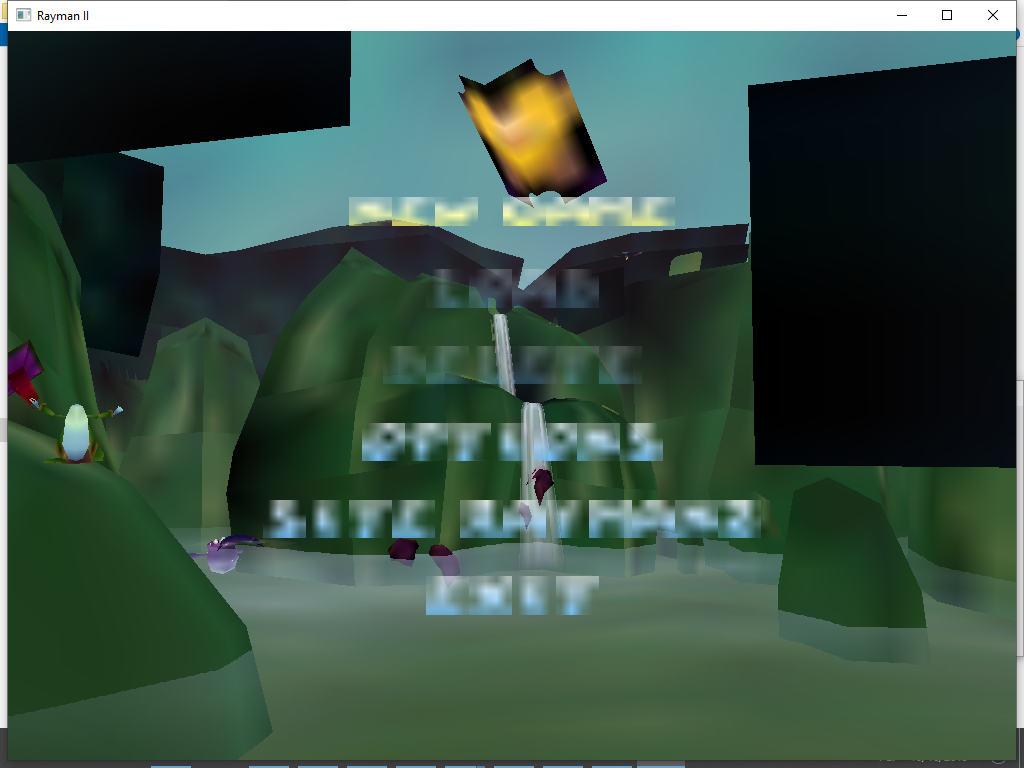
what happened with main menu of Rayman 2 pc version? How to fix it?
-
StelzenBomber
- Posts: 2213
- Joined: Wed Dec 13, 2017 3:07 pm
- Tings: 25652
Re: Rayman 2
What in the actual fuck am i looking at
Try changeing the resolution...
Try changeing the resolution...
-
StelzenBomber
- Posts: 2213
- Joined: Wed Dec 13, 2017 3:07 pm
- Tings: 25652
Re: Rayman 2
Yea, if that works
Disnt a menu pop up when you tryed to start it after downloading?
Disnt a menu pop up when you tryed to start it after downloading?

Re: Rayman 2
Yeah, GXSetup.exe in the game’s directory.StelzenBomber wrote: Wed Oct 16, 2019 7:43 pm Disnt a menu pop up when you tryed to start it after downloading?
-
StelzenBomber
- Posts: 2213
- Joined: Wed Dec 13, 2017 3:07 pm
- Tings: 25652
Re: Rayman 2
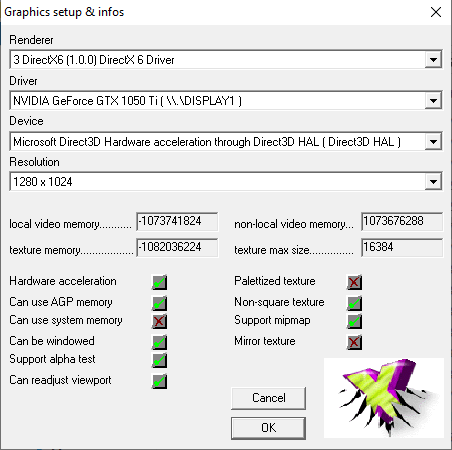
I need to know your pc specs
-
12RayChienne9

- Posts: 294
- Joined: Thu Jul 25, 2019 8:23 pm
- Tings: 13017
Re: Rayman 2
It seems to the game is being corrupted. I've ever seen videos about some games like Kirby Adventure being corrupted, It means that it is having bugs and glitches.gamerz31w wrote: Wed Oct 16, 2019 2:56 pm what happened with main menu of Rayman 2 pc version? How to fix it?
Maybe the cause could be the operating system which it's more advanced.
 I've the game installed in Microsoft Windows XP but it still works despite the disc having fewer scratches.
-
StelzenBomber
- Posts: 2213
- Joined: Wed Dec 13, 2017 3:07 pm
- Tings: 25652
Re: Rayman 2
Hmm...i cant see much that would warrent that result
Can you try windows compatabilety mode?
Corruption can indeed cause this, rayman 3 once had many black spaces were textures used to be
Can you try windows compatabilety mode?
Corruption can indeed cause this, rayman 3 once had many black spaces were textures used to be
Re: Rayman 2
Well I checked(I tried) compatibility mode and changed from Windows XP SP2 to Windows 8 and still the same very low poly textures quality. It's not present in pcsx2 pc emulator when I was playing Rayman Revolution with original ps2 game disc.
-
StelzenBomber
- Posts: 2213
- Joined: Wed Dec 13, 2017 3:07 pm
- Tings: 25652
Re: Rayman 2
Hm...ill try thinking of something tomorrow

Re: Rayman 2
So what's now? As I remember yesterday even nglide didn't help.
Re: Rayman 2
Is nglide actually launching though? You should see a 3dfx logo before the game opens. Since it works for everyone else, what version of the game do you have?

Re: Rayman 2
Try installing from the disc using the Rayman Control Panel (link in my signature). That'll patch some files. Then follow this guide as if you have the GOG version:
https://drive.google.com/file/d/13W1Jpq ... zIKfm/view
Then make sure you have the game set to use nGlide (either by editing the ubi.ini file manually or through the Rayman Control Panel).
https://drive.google.com/file/d/13W1Jpq ... zIKfm/view
Then make sure you have the game set to use nGlide (either by editing the ubi.ini file manually or through the Rayman Control Panel).
Re: Rayman 2
It's working.
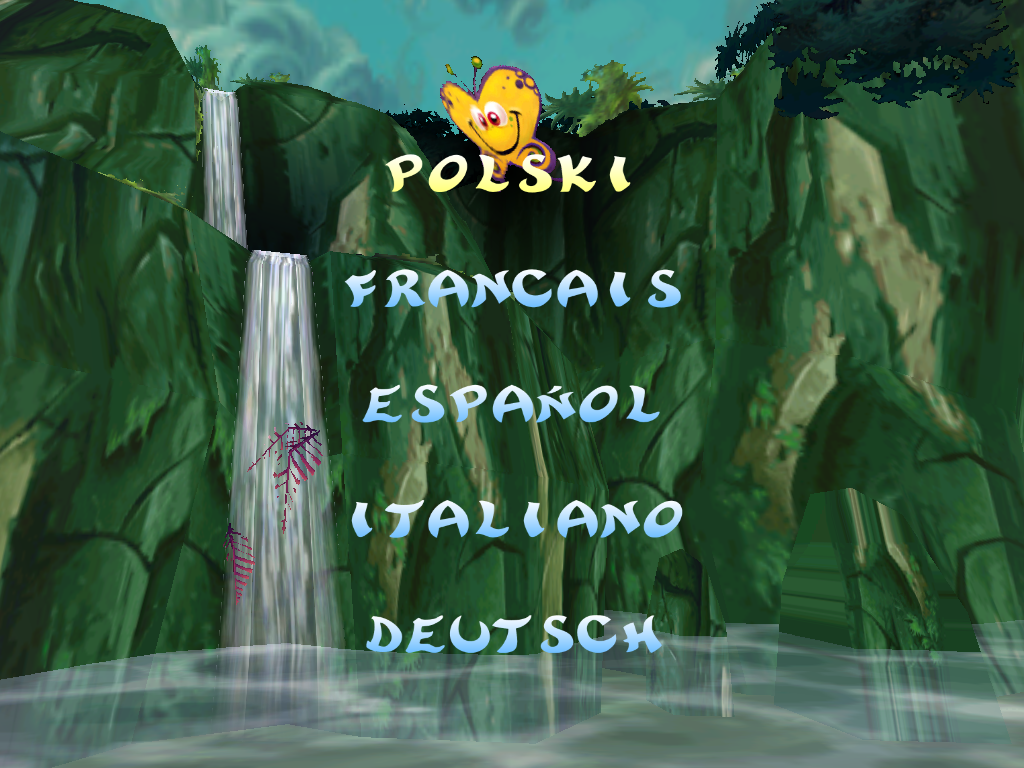 However which fanmade(just like in case of harry potter pc trilogy)Rayman 2 level editor should I use to extract/unpack all Rayman 2 level maps RayTwol or RayMap in Unreal Editor 1? One more thing what was the name of Rayman 2 game engine that this game was released 20 years ago.
Last edited by gamerz31w on Thu Oct 17, 2019 2:18 pm, edited 1 time in total.
Re: Rayman 2
Use RayMap. The engine name is OpenSpace.
Re: Rayman 2
Okay,but I don't know how to load up in RayMap do I need Unity which I already downloaded and installed.