Page 16 of 34
Re: Rayman 3: Widescreen Patch
Posted: Wed Jun 01, 2016 1:43 am
by Shadorino
Ah well… you have your answer now ENunn

And no, it's not possible to disable Optimus, sadly.
Re: Rayman 3: Widescreen Patch
Posted: Wed Jun 01, 2016 10:21 am
by deton24
Can we apply dgvoodoo for any DX game without Voodoo renderer set?
And my friend had similar issue. Probably downgrade to at least 8.1 may restore working of GTX.
We have tried almost everything.
We haven't tried only use DDU
http://www.guru3d.com/files-details/dis ... nload.html and then installing driver again. It helped somebody once. But I made fresh install previously, so I don't know whether it''ll help.
It's just 10.
Re: Rayman 3: Widescreen Patch
Posted: Wed Jun 01, 2016 1:04 pm
by Shadorino
Well RibShark said earlier in this thread that dgVoodoo worked on Rayman 3.
So there you go :
http://dege.freeweb.hu/dgVoodoo2.html
I don't know how good you are with this kind of things ENunn, let us know if you need any help.
Re: Rayman 3: Widescreen Patch
Posted: Wed Jun 01, 2016 7:20 pm
by RibShark
dgVoodoo also wraps DirectX 8 and DirectX 6 now, which is nice and why it works for Rayman 3.
Re: Rayman 3: Widescreen Patch
Posted: Wed Jun 01, 2016 7:49 pm
by deton24
So running Voodoo emulation from/instead of DX8 or 6 render? Sounds interesting.
Re: Rayman 3: Widescreen Patch
Posted: Mon Jun 06, 2016 5:20 am
by IIITA
RibShark wrote:dgVoodoo also wraps DirectX 8 and DirectX 6 now, which is nice and why it works for Rayman 3.
Aammm, I'm not sure that Why Rayman 3 worked with dgVoodoo, but I could guess that Rayman 3 uses DirectX8, for the installer of the game installed "R3_Setup_DX8.exe" to set the game settings for DirectX 8 usage, of cause Rayman3.exe WILL WORK WITH DirectX 8.
So it is, dgVoodoo's Direct3D API dlls wraps the DirectX 8 activities of the game to DirextX 11 in Winsows 10 64 bit.
Dege said that his dgVoodoo v2.5 is for Direct3D 8.1 and I think Direct3D 8.1 is the part of DirectX 8.
Re: Rayman 3: Widescreen Patch
Posted: Mon Jun 06, 2016 8:06 am
by deton24
So you mean that dgvoodoo wraps just DX8 library by DX11 one? Not glide? It's possible since R3 doesn't have Glide renderer at all.
Re: Rayman 3: Widescreen Patch
Posted: Mon Jun 06, 2016 12:51 pm
by IIITA
No, I did not use glide3x.dll of dgVoodoo's. I used is D3D8.dll D3DImm.dll and DDraw.dll from dgVoodoo's.
As it is not possible to get game screenshot with Alt+PrtSc in Windows 10 64bit , I will only post the setting pop-ups of dgVoodoo v2.52:
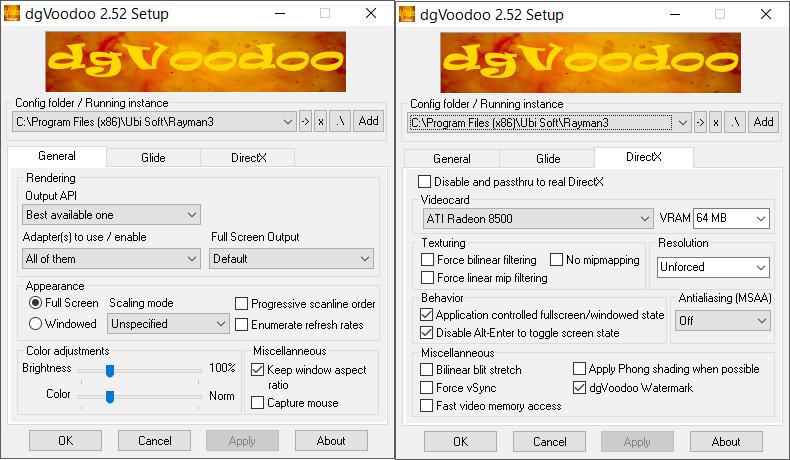
With this setting, Rayman 3 game screen showed "dgVoodoo" watermark in down-right corner that made sure the Direct3D wrapping of it working.
Re: Rayman 3: Widescreen Patch
Posted: Mon Jul 25, 2016 7:48 pm
by RibShark
I hit a great milestone today! I successfully located the function in the game's assembly code that is responsible for correctly scaling graphical elements like the score counter, pause menu background, and essentially anything that would usually get messed up in widescreen (apart from cutscenes). Not only that, but I have been able to, in Cheat Engine, replace that code with something else that adjusts based on aspect ratio! This means that instead of just patching the scaling value based on the resolution, I can instead just patch the code itself to ignore that scaling value, and instead scale based on a value calculated from the screen resolution. This means that other functions that use that value will not be effected. One side effect of this is, from what I can tell, that objects no longer "pop-in" from the sides. Hopefully I'll be able to release this soon today as long as it works on the disc version (I was able to implement it a lot quicker than I thought).
I've also been working hard to create an alternate configuration program for the game, which I will hopefully finish soon.
Re: Rayman 3: Widescreen Patch
Posted: Mon Jul 25, 2016 9:11 pm
by RibShark
Updated patch with the details above is now released. I am now working on creating the alternate configuration program.
Re: Rayman 3: Widescreen Patch
Posted: Mon Jul 25, 2016 9:43 pm
by PluMGMK
Awesome!

Will try out ASAP.
Re: Rayman 3: Widescreen Patch
Posted: Tue Jul 26, 2016 12:00 am
by deton24
MASTERY.
Great thanks.
Re: Rayman 3: Widescreen Patch Shadorino Help!
Posted: Tue Jul 26, 2016 12:11 pm
by IIITA
Oh Shadorino, I need your help
in Rayman 3 widescreen issue too.
Ribshark updated his "Widescreeen patch" and with this I replayed Rayman 3 and found that your bik files are missing some of them and weren't playbacked in the game, but black screen with only sounds.
For example here is the normal bik in opening scene;
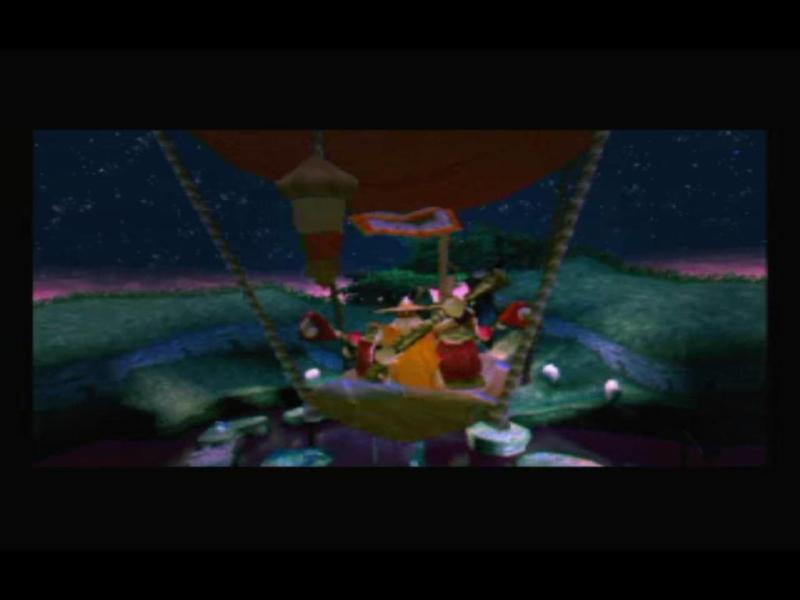
but in widescreen mode ALL IN BLACK only with sounds.
I appreciate your work such that and always enjoyed them for widescreen play.
I checked your widescreen files how they replaced the original ones;
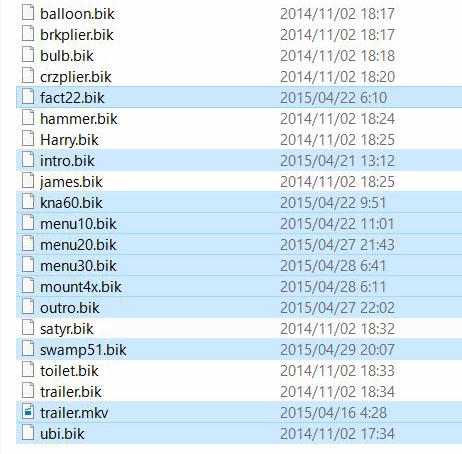
Ummm, I can not discriminate which is which but noticed that some bik files were not replaced for widescreen play.
Would you continue your work to make this issue complete compatible for widescreen making these non-wide to wide ones ?
I am earnest about waiting for your awesome work.
Re: Rayman 3: Widescreen Patch
Posted: Tue Jul 26, 2016 2:05 pm
by RibShark
Yeah, Shadorino has not replaced some of the bik files. None of the "Wanna Kick Rayman" cutscenes or the trailer will work. I can try and create a new pack that also includes these.
They will not be scaled to the correct 4:3 resolution (that's Shadorino's skill  )
) actually they will
, but they will play at least.
Re: Rayman 3: Widescreen Patch
Posted: Tue Jul 26, 2016 7:53 pm
by RibShark
I have created a new cutscene pack with every cutscene fixed.
Re: Rayman 3: Widescreen Patch
Posted: Wed Jul 27, 2016 7:24 am
by IIITA
RibShark wrote:I have created a new cutscene pack with every cutscene fixed.
Oh , Ribshark ! Thank you for your effort to make cutscenes for widescreen play.
I just tested your new files in my Windows 10 Pro 64bit with 1600x900 display which uses NVIDIA Geforce GT330M GPU, oh what a fun looking all scene smoothly shown during the game play.
Thank you again.
BTW I happened to hear this edit tool i.e. RAD Video Tools, and tried to edit these bik files for widescreen use.
But things are so difficult, could not find
complete manual for using.
If you have a chance to find out the manual, please PM me.
Re: Rayman 3: Widescreen Patch
Posted: Wed Jul 27, 2016 6:34 pm
by deton24
PM to Shadorino. Maybe he found something.
Re: Rayman 3: Widescreen Patch
Posted: Sat Jul 30, 2016 12:09 am
by Shadorino
It's great to see new improvements, nice job RibShark
Next step is high resolution HUD and textures, and we can definitely give the bird to the HD version on PS3 and 360 XD
Yes I admit I was very lazy with the "Wanna Kick Rayman" bonus videos, mea culpa.
What do you want to know exactly IIITA with RAD Video Tools ?
Re: Rayman 3: Widescreen Patch
Posted: Sat Jul 30, 2016 12:55 am
by deton24
He was asking for some manual, probably instructions etc.
Greetings
Re: Rayman 3: Widescreen Patch
Posted: Sat Jul 30, 2016 1:58 am
by Shadorino
Well these are the official instructions :
http://www.radgametools.com/binkfaq.htm
But they were never of great use to me frankly.