Page 3 of 12
Re: Rayman 2 Remake
Posted: Thu Jul 12, 2018 2:20 pm
by Rycer
Hi, so I'm still here :p
Angzaf, your work looks really nice, I'm glad that you want to remake Rayman 2 with me

Re: Rayman 2 Remake
Posted: Thu Jul 12, 2018 2:22 pm
by Hakyra
me to!! i hope that our project is able to fulfill our dreams about a remake
, if you need my assets, i will send them right away :3
Re: Rayman 2 Remake
Posted: Thu Jul 12, 2018 6:45 pm
by PluMGMK
I wonder if you guys should hook up with the people doing the "HD trilogy".
Re: Rayman 2 Remake
Posted: Thu Jul 12, 2018 7:56 pm
by Hakyra
HD trilogy?
Re: Rayman 2 Remake
Posted: Thu Jul 12, 2018 8:04 pm
by Steo
He's referring to these guys from this thread
viewtopic.php?t=26058
Also, we may have said a few things on the earlier pages because they pretended to be Ubisoft but after they openly admitted it was a fan game we apologized

Re: Rayman 2 Remake
Posted: Fri Jul 13, 2018 3:33 pm
by Hakyra
Hello everyone!! i did one of the most popular assets in rayman 2, the cage!!. However i did implement some changes as i think that those need some explanation...
In the original rayman 2, cages where multiple-sided, this means that whatever direction you faced, you would always see the bars, this is fine, however, in the official pc manual of the game, cages aren't one sided, in fact, they are more like this:

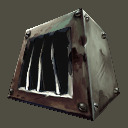
and it also looks diferent on the icons.
so, i've decided to make them like they appear on the manual, and i've also found out that the original developers screwed up with the texturing and put the bars upside down:
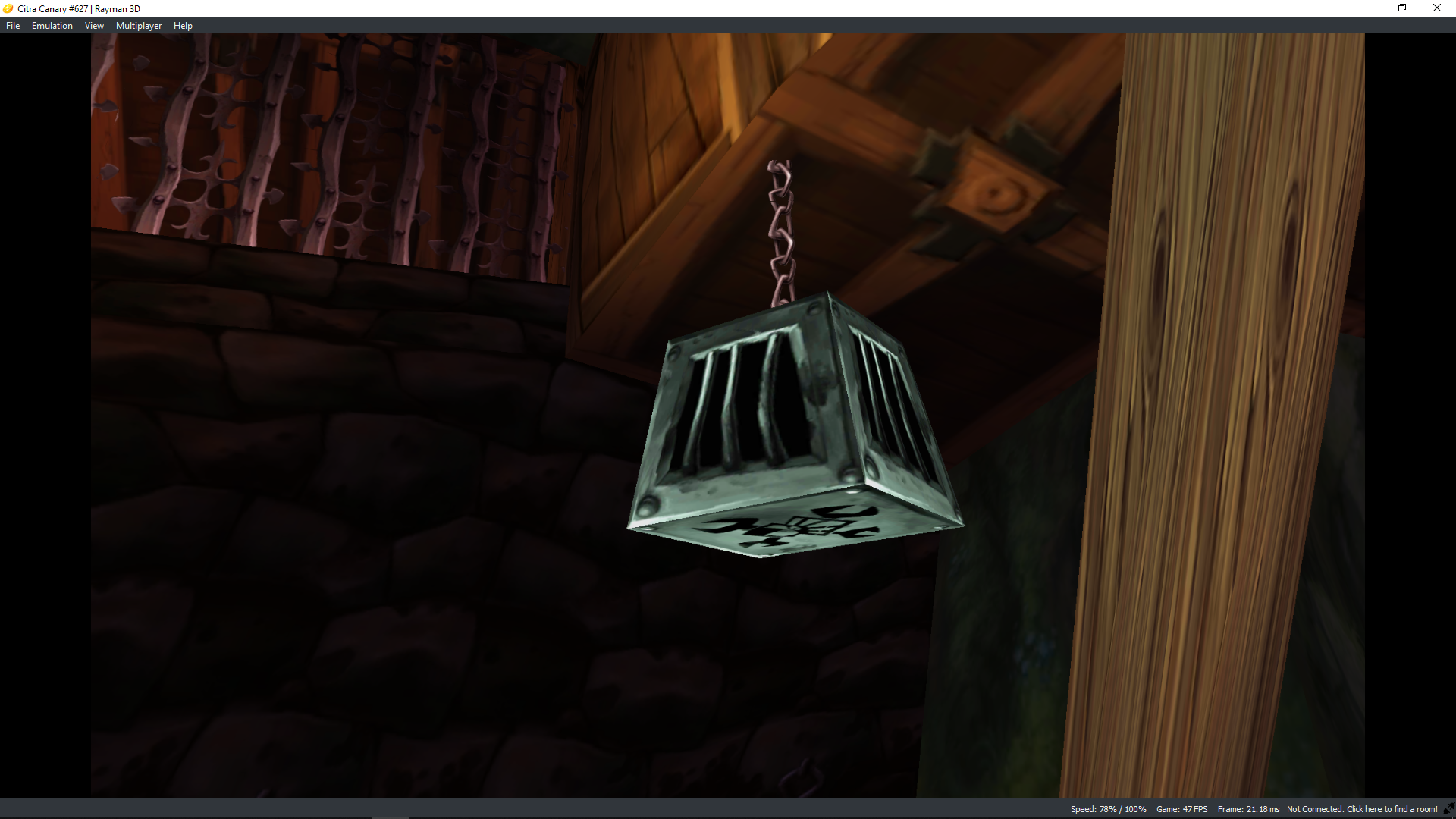
notice how the light appears to come from the bottom, instead of coming on top.
(i'm using the 3ds version as a benchmark, since it allows me to see objects upclose using the R button (it's really stupid but it's incredably useful at modeling)
That's why you will find out that the cage now looks "different", although pretty similar:
every screw is now 3D, no more flat textures!!
bars are also completely 3D, they follow exactly their texture counterpart, in fact, the texture is exactly the same, although 3D this time.
anyways, here is the final result:
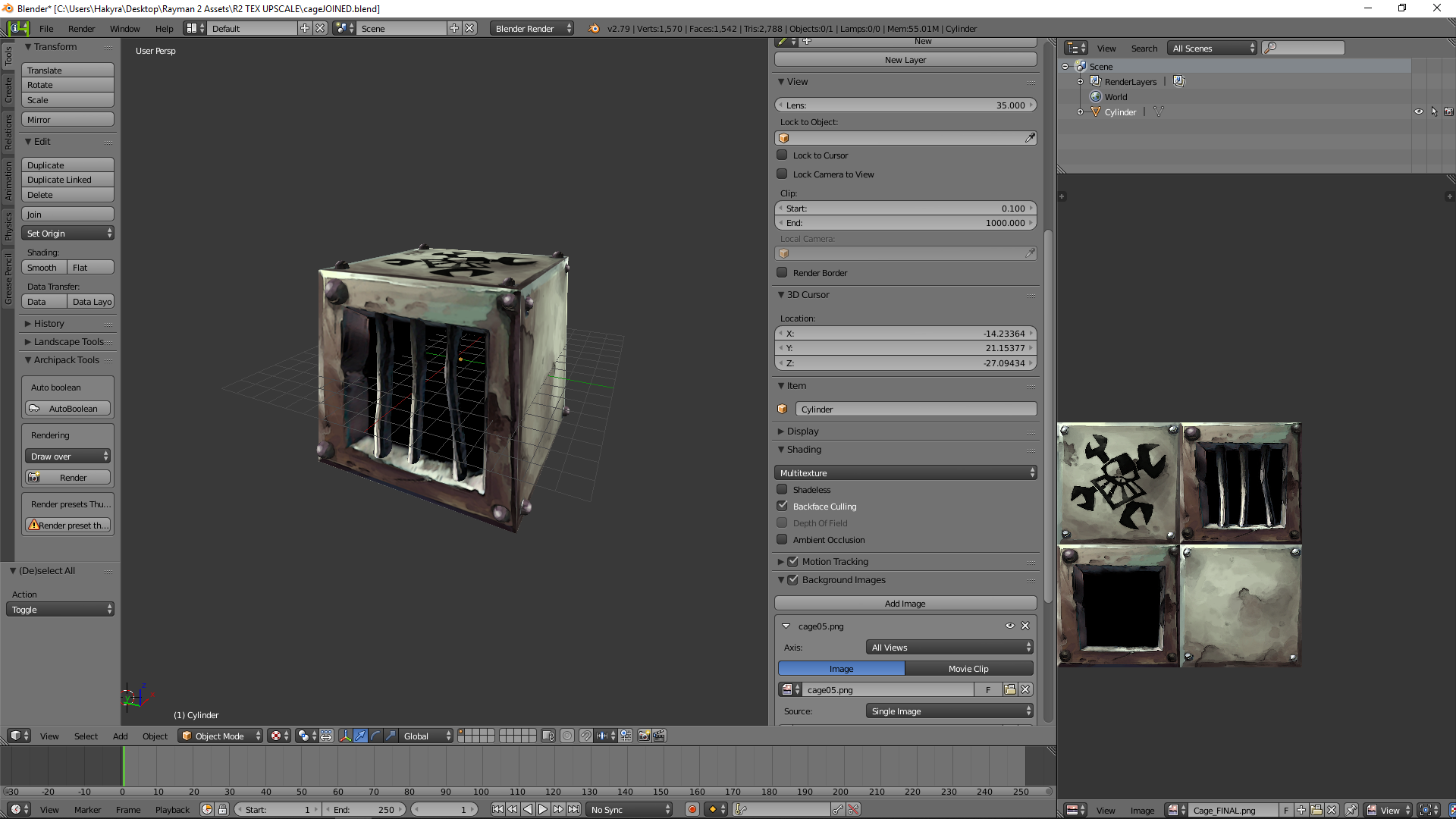
and here you can view it from another angle:
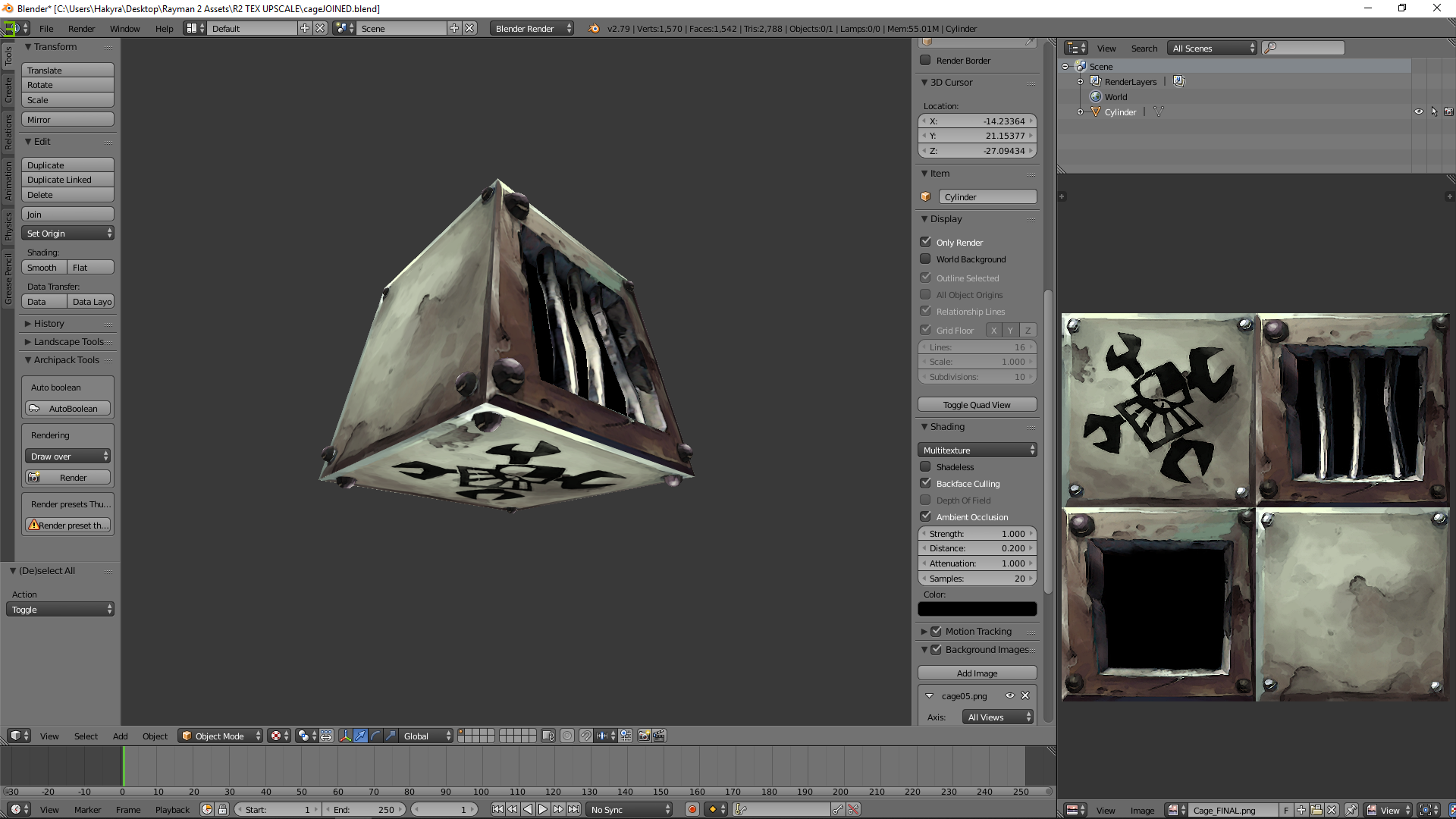
and the last one without perspective:
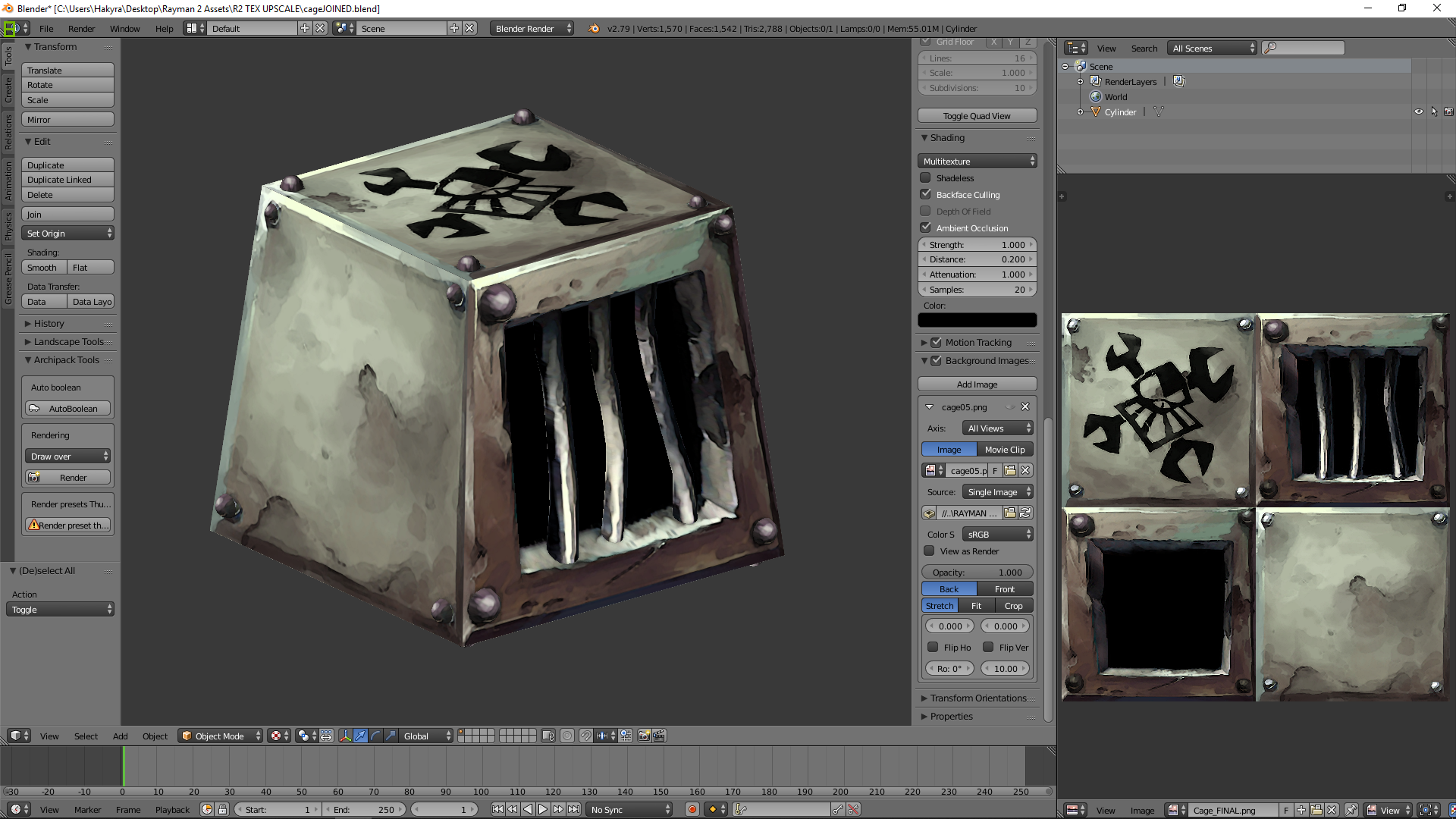
please, if you have any complaints, voice them, i wanna make it as fan-pleasable as possible.
Re: Rayman 2 Remake
Posted: Fri Jul 13, 2018 8:39 pm
by Birds858
This look great. Btw, like Plum and Steo say, will you hook up with the people doing the fan HD trilogy ?
Re: Rayman 2 Remake
Posted: Fri Jul 13, 2018 9:40 pm
by PluMGMK
Hmm. Will the cage be more vulnerable when struck on the "window side"?
Re: Rayman 2 Remake
Posted: Fri Jul 13, 2018 11:13 pm
by need my speed
Oh wow. How do you do this, if I may ask? You design the levels fully in Blender? And also all the models, to which you apply textures from Rayman 2? And then you put all the objects in the right place, on the level, all in Blender, and then import all that in Unreal Engine 4? I would be interested in trying to create my own 3D platformer (though I know I'd stop working on it in a week
).
Re: Rayman 2 Remake
Posted: Sat Jul 14, 2018 1:25 am
by Rycer
If you were asking me, I don't design levels in Blender. It's just not confortable for me. First I make the models. It's important that they follow modular design, so you can design a level out of these modular pieces. The rest is just basic level creating.
If you want to create a game, then learn the engine first! Start with something small, watch some YouTube tutorials or something and finish it
Don't give up! Send me a message if you want some help!
Re: Rayman 2 Remake
Posted: Sat Jul 14, 2018 1:28 am
by Rycer
PluMGMK wrote:Hmm. Will the cage be more vulnerable when struck on the "window side"?
I don't think so. It seems like just a gimmick.
Re: Rayman 2 Remake
Posted: Sat Jul 14, 2018 9:58 am
by Birds858
Don’t double-post Rycer !
Re: Rayman 2 Remake
Posted: Sat Jul 14, 2018 10:03 am
by Hakyra
need my speed wrote:Oh wow. How do you do this, if I may ask? You design the levels fully in Blender? And also all the models, to which you apply textures from Rayman 2? And then you put all the objects in the right place, on the level, all in Blender, and then import all that in Unreal Engine 4? I would be interested in trying to create my own 3D platformer (though I know I'd stop working on it in a week
).
Well, i will explain, although without my computer will be hard, i will try my best.
Rayman 2 usually uses really low poly models, and this results in very simple geometry, for example, the cage is just a cube with a small top (no, seriously it's just that).
So, what they did was use textures as a way to convey what they wanted. (And our innocent child minds filled the gaps and ended up creating the visuals that they weren't unable to replicate).
So using this my first step is to create the asset as closely as posible to the original,
Then i apply the textures (using project from view, bounds in blender), once textures are applied, i use edit mode and use a background image to start modeling, and i do it as exactly as posible as the texture conveys (this takes a long time, but they produce very accurate results), once that is done i re-apply the textures and make it look as close as possible as the original asset.
Sometimes i have to reimagine the asset from the texture, since again, low res assets usually don't have the detail i want, and i have to improvised.
Sorry for no pictures, i won't be home for about 2 days, i apologize for that
Re: Rayman 2 Remake
Posted: Sat Jul 14, 2018 12:38 pm
by PluMGMK
angzaf13 wrote:Rayman 2 usually uses really low poly models, and this results in very simple geometry, for example, the cage is just a cube with a small top (no, seriously it's just that).
A truncated pyramid even! Actually just yesterday my boss and I were wondering if there's a name for that!

What you're doing is really cool though!

Rycer wrote:PluMGMK wrote:Hmm. Will the cage be more vulnerable when struck on the "window side"?
I don't think so. It seems like just a gimmick.
Ah well.
Also yeah, you shouldn't double-post. You can use the edit button to add things, and on the (non-quick-reply) posting form there's a topic review at the bottom that you can use to quote extra people. Just for future reference!
Also Birds, you shouldn't backseat-moderate like that either.
Re: Rayman 2 Remake
Posted: Sat Jul 14, 2018 1:03 pm
by Steo
I have to agree that backseat moderating annoys me more than someone double posting to be honest

Have any of you ever tried a site that's used for up scaling anime art? I used one to make Rayman from Origins huge and it turned out oretty well. He started off at 315p and I make it 2560p

I tried it on this yesterday just to see what would hapoen and I made the image 2x twice.
Origina texture:

Upscaled texture:

Re: Rayman 2 Remake
Posted: Sat Jul 14, 2018 1:09 pm
by The Jonster
PluMGMK wrote:
Also Birds, you shouldn't backseat-moderate like that either.
Steo wrote:I have to agree that backseat moderating annoys me more than someone double posting to be honest
Ditto, though this brings back memories of when I did that for a very short time, but quickly stopped since I realize that
it's not my place to be doing that.
Also is that the Gorilla Pirate you were testing Steo?
Re: Rayman 2 Remake
Posted: Sat Jul 14, 2018 1:18 pm
by Steo
Yeah I just chose that at random so I could test it
Re: Rayman 2 Remake
Posted: Sat Jul 14, 2018 1:53 pm
by Rycer
Wow, this upscaled texture looks... unbelievably good! I'm impressed
Also, sorry for double-posting!
Re: Rayman 2 Remake
Posted: Sat Jul 14, 2018 2:09 pm
by Steo
It's some Japanese site (I hope linking to it is OK)
http://waifu2x.udp.jp
It was used to make the HD textures for Super Mario Sunshine. I feel like this might get us playing Rayman 2 in HD much quicker
Re: Rayman 2 Remake
Posted: Sat Jul 14, 2018 4:07 pm
by PluMGMK
Waifu2x eh? I guess Brad must have used it on Barbara's sprites a few times (even if they're already HD)!