Page 1 of 7
Rayman M x64 Installer
Posted: Wed Mar 20, 2013 7:39 pm
by Snagglebee
EDIT: This is legacy stuff, please revise Rayman Control Panel for a more modern solution.
Hiiiii again!
I promised to bring this out. This simple Application copies out all needed files from your Rayman M CD and put it there were you want.
No more emulating a 32bit Operating System and copy the installed files! You can even set your language you want. English,French,German,Spanish,Italian,Swedish,Finnish,Norwegian and Danish are programmed. It works with the 2 CD release and the 1 DVD. Unfortunately Rayman Arena is not supported

I'm sorry!
Just insert your CD select a Language and a directory to install and that's it!!
►DOWNLOAD:
RaymanM Remake.iso ◄ Highly recommanded!
RM_Installer.exe (3.4MB)
https://mega.co.nz/#!KxpWTbCC!cNFxH2bWj ... FO9zKd1mPI

Can't wait until Rayman 3 gets incompatible with future Windows OS

Re: Rayman M x64 Installer
Posted: Wed Mar 20, 2013 8:02 pm
by Robotic Teensie
I didn't know Rayman M didn't work on 64 bit OSes! In our house all PCs are 64 bit... I still have a Rayman M CD lying around somewhere - now I can actually install it! ...if I can find it, lol

Great job

Re: Rayman M x64 Installer
Posted: Wed Mar 20, 2013 8:16 pm
by Snagglebee
Actually Rayman M worked with 64bit Systems before. The only problem here was that the original Installer wasn't compatible (same problem as Rayman 2). That's why I named this Installer and not Patcher.
Re: Rayman M x64 Installer
Posted: Fri Apr 05, 2013 2:08 pm
by Robotic Teensie
Help... it's not working
Today I found my copy of Rayman M (it's the 2 CD version). I tried to install it with your installer, but now I keep getting this message when I click on RaymanM.exe in the installation directory...
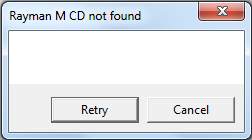
I tried it with CD1 and CD2 in the tray, but the game keeps complaining...
Re: Rayman M x64 Installer
Posted: Fri Apr 05, 2013 2:44 pm
by Snagglebee
This message is extreme strange! There is no such line in my source. Try to download it again!
Move the Installer to your desktop or somewhere else in your C: drive. It's important that you keep the installer and Install Directory in C: and not somewhere else!
If it still didn't work. Try this:
Press "Windows Button + R", type in CMD, type in the command line
Code: Select all
SET PATH=%PATH%;C:\WINDOWS\SYSTEM32
Robotic Teensie wrote:Help... it's not working
Today I found my copy of Rayman M (it's the 2 CD version). I tried to install it with your installer, but now I keep getting this message when I click on RaymanM.exe in the installation directory...
I tried it with CD1 and CD2 in the tray, but the game keeps complaining...
Re: Rayman M x64 Installer
Posted: Fri Apr 05, 2013 2:50 pm
by Robotic Teensie
Well I had moved the install directory to C:\Program Files (x86)\Ubi Soft\Rayman M... that's not the default option but still on my C: drive. The installer itself is in my downloads folder, also on C:
But I'll reinstall it using the recommended directory. Maybe that will work. I also noticed some error message in the console window (something like "Files" is not defined or so) after it had copied everything, but the messagebox then said "installation complete" so I assumed it was done.
EDIT: Maybe the "Files is not defined" is because your installer could not figure out what to do with the space in "Program Files"?
Re: Rayman M x64 Installer
Posted: Fri Apr 05, 2013 3:13 pm
by Snagglebee
I updated the file. Hopefully it will now work.
Re: Rayman M x64 Installer
Posted: Fri Apr 05, 2013 3:18 pm
by Robotic Teensie
(This is for the non-updated file)
Step 1 wrote:If I don't run RaymanM.exe in Windows XP compatibility mode it says "DX8 not initialized - please run setup"; I already have Windows 7 with DirectX 10 or 11...
So I ran the DX8 setup, and it said "installation succesful" immediately. It was so fast that I suspect it just checked my PC, saw I already have DirectX installed, and stopped.
After running the DX8 setup, RaymanM.exe still says "DX8 not initialized - please run setup".
Step 2 wrote:So I turned on the Windows XP compatibility mode... then it gives me the "CD not found" error you saw above.
Step 3 wrote:Now I tried to run the RaymanM.exe on CD 1 (not in the install directory your installer made) and without compatibility mode it keeps complaining about DirectX 8 again.
Step 4 wrote:However, if I run the RaymanM.exe on CD 1 with compatibility mode on, it gives me the "CD not found" error with a proper text message: "Please, insert Rayman M disk 2 CD in CDROM Drive" (so this is different from what the copied RaymanM.exe in the install dir says!)
Step 5 wrote:So while this messagebox is still on my screen I swap disks, and when CD2 is in I click on "Retry".
Step 6A wrote:The first time after step 5 the intro video played. I thought "YES, it's working!"... but after the intro was done, a messagebox came again saying "Please insert the CD". No matter what CD I tried, it just wouldn't accept the CD. When I tried to switch to the RaymanM process it stopped working.
Step 6B wrote:I tried steps 4 and 5 again... run the exe on CD1, swap disks, click Retry... but now I get this.
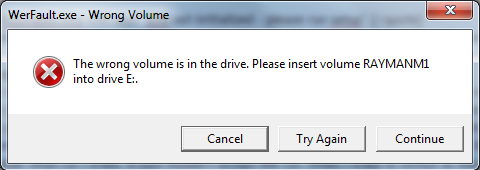
Clicking "Try Again" or "Continue" leads to the same message popping up... after I clicked "Cancel" a few times Rayman M stopped working.
I'll try the updated file... this one doesn't work it seems :/
Re: Rayman M x64 Installer
Posted: Fri Apr 05, 2013 3:27 pm
by Snagglebee
It just seems like some files are not installed correctly and or are corrupt. Are you sure that the CDs aren't broken? Install Windows OS 32bit system in a PC Virtualizator like Microsoft Virtual PC. I bet Rayman M won't start there too. Do you want to decomplier my program? No problem just put the parameter "-decomp"
Robotic Teensie wrote:(This is for the non-updated file)
Step 1 wrote:If I don't run RaymanM.exe in Windows XP compatibility mode it says "DX8 not initialized - please run setup"; I already have Windows 7 with DirectX 10 or 11...
So I ran the DX8 setup, and it said "installation succesful" immediately. It was so fast that I suspect it just checked my PC, saw I already have DirectX installed, and stopped.
After running the DX8 setup, RaymanM.exe still says "DX8 not initialized - please run setup".
Step 2 wrote:So I turned on the Windows XP compatibility mode... then it gives me the "CD not found" error you saw above.
Step 3 wrote:Now I tried to run the RaymanM.exe on CD 1 (not in the install directory your installer made) and without compatibility mode it keeps complaining about DirectX 8 again.
Step 4 wrote:However, if I run the RaymanM.exe on CD 1 with compatibility mode on, it gives me the "CD not found" error with a proper text message: "Please, insert Rayman M disk 2 CD in CDROM Drive" (so this is different from what the copied RaymanM.exe in the install dir says!)
Step 5 wrote:So while this messagebox is still on my screen I swap disks, and when CD2 is in I click on "Retry".
Step 6A wrote:The first time after step 5 the intro video played. I thought "YES, it's working!"... but after the intro was done, a messagebox came again saying "Please insert the CD". No matter what CD I tried, it just wouldn't accept the CD. When I tried to switch to the RaymanM process it stopped working.
Step 6B wrote:I tried steps 4 and 5 again... run the exe on CD1, swap disks, click Retry... but now I get this.
Clicking "Try Again" or "Continue" leads to the same message popping up... after I clicked "Cancel" a few times Rayman M stopped working.
I'll try the updated file... this one doesn't work it seems :/
Re: Rayman M x64 Installer
Posted: Fri Apr 05, 2013 3:57 pm
by Robotic Teensie
Bingo.
I have decompiled it and saw how it works... desparately, I tried one last thing:
1. I made a new directory on my C: drive.
2. I copied the whole contents of CD1 to that directory.
3. I copied the whole contents of CD2 to that directory (minus autorun.inf and RaymanM.ico, which were conflicts).
Running RaymanM.exe as administrator with CD2 inserted will cause the game to run fine!
So I'm afraid your installer isn't working
maybe you forgot some file? Copying the complete contents of CD1, with the audio tracks and videos of CD2 added, will result in a working game!
Re: Rayman M x64 Installer
Posted: Fri Apr 05, 2013 5:33 pm
by Snagglebee
Sorry for bothering you but I remade the installer. Would you try that out? Thank you!
https://www.dropbox.com/s/am98u9knxnd7f ... taller.exe
Re: Rayman M x64 Installer
Posted: Fri Apr 05, 2013 5:43 pm
by Robotic Teensie
Sure, I'm happy to help!
I'll report back soon.
EDIT:
Okay. First of all 'necessary' is not spelled correctly (I think you fixed it for the R2 patcher but not for this one).

Secondly, I'm not sure if it's easy to change or not but can you adjust the "Processing files" window so that it's not always the topmost window? I wanted to start the installer and let it run while browsing the internet, but I couldn't minimize the window

Thirdly, I moved my working install directory away and let your installer use C:\UbiSoft\RaymanM. After installing it it looked like this:
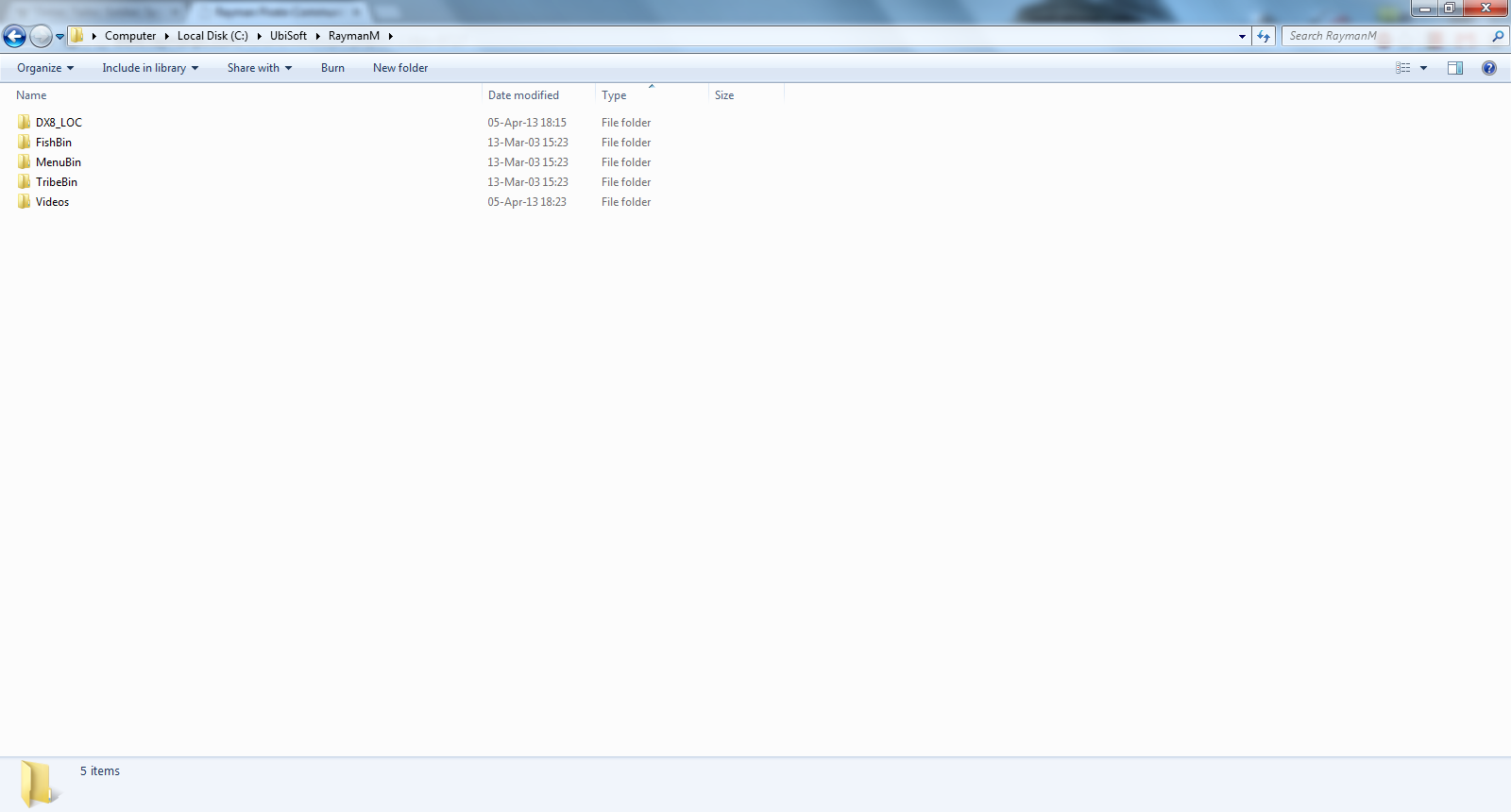
There's no .exe... so I can't start the game... there also seem to be .dll files missing.
Decompiled it again. So... those XCOPY commands seem to work but the regular COPY ones fail
I manually copied these 5 files to the install dir:
- RaymanM.exe
- RM_Setup_DX8.exe
- binkw32.dll
- stlport_vc6.4.1.b6.dll
- DX8_Detect_RM.ini
Running RaymanM.exe as administrator then results in a working game!
PS: It's strange Ubisoft put their ubi.ini file in the Windows directory... that is just wrong imo :<
(not your fault emshomar, and nothing you should be concerned about

)
Re: Rayman M x64 Installer
Posted: Fri Apr 05, 2013 6:46 pm
by Snagglebee
OK.. I updated the file. It should now work! It's a shame from Microsoft that they took the 16Bit compatiblity from Windows Vista 64bit and Windows 7 64bit but brought it back in Windows 8!!
https://www.dropbox.com/s/am98u9knxnd7f ... taller.exe
Re: Rayman M x64 Installer
Posted: Fri Apr 05, 2013 8:21 pm
by Robotic Teensie
That's not true. In Windows 8 x64 the NTVDM (NT Virtual DOS Machine) is not included, just like in Windows 7 - so there's no 16 bit compatibility there. What they changed was the 32 bit Windows 8. In previous versions, 32 bit Windows automatically runs 16 bit applications through a compatibility layer. In Windows 8 32 bit, that's turned off by default and you have to manually flip a switch somewhere in the Control Panel to turn it on. But it's only there in 32 bit OSes. So they made it slightly
less easy to run 16 bit programs...
The installer has the same problem as before. This part
Code: Select all
COPY "%Drive%\binkw32.dll" "%Location%"
COPY "%Drive%\DX8_Detect_RM.ini" "%Location%"
COPY "%Drive%\RaymanM.exe" "%Location%"
COPY "%Drive%\RM_Setup_DX8.exe" "%Location%"
COPY "%Drive%\stlport_vc6.4.1.b6.dll" "%Location%"
still does not work... the install directory still ends up looking like the screenshot above (without these 5 files).
Can't you use XCOPY for them? That seems to work for all the other files. I'm not an expert in writing batch files though
Re: Rayman M x64 Installer
Posted: Fri Apr 05, 2013 8:47 pm
by Snagglebee
Did you tryed to run as Administrator?
Re: Rayman M x64 Installer
Posted: Fri Apr 05, 2013 8:57 pm
by Rayfist
The game wouldn't work for me in windows 8 so I tried it in 7 64 bit and it worked fantastic!
Re: Rayman M x64 Installer
Posted: Fri Apr 05, 2013 9:02 pm
by Snagglebee
Rayfist wrote:The game wouldn't work for me in windows 8 so I tried it in 7 64 bit and it worked fantastic!
LoL? It doesn't work for me in Win7 but in Win8.
Re: Rayman M x64 Installer
Posted: Fri Apr 05, 2013 11:37 pm
by Robotic Teensie
...nope, I ran it as an administrator... those 5 files are still not copied.
Re: Rayman M x64 Installer
Posted: Sat Apr 06, 2013 11:05 am
by Snagglebee
Robotic Teensie wrote:...nope, I ran it as an administrator... those 5 files are still not copied.
Since the standart COPY command seems to fail with your system I turned it into XCOPY. I removed the ability to choose your own folder to prevent copy problems. So here is the updated file:
https://www.dropbox.com/s/am98u9knxnd7f ... taller.exe
Re: Rayman M x64 Installer
Posted: Sat Apr 06, 2013 12:16 pm
by Robotic Teensie
I have run it twice (both times as an administrator) and I got the same result on both occasions.
- The 5 files that refused to be copied previously (the .exe files, the .dll files, that .ini) are now copied fine.
- The program now copies files over a LOT slower than before. Large files such as the texture archives (.cnt) especially seem to take a long while.
- It seems to get stuck at copying E:\TribeBin\tex32.cnt. That is the last entry I saw in the console window. After waiting for 10+ minutes it still had not moved on.
- The console window is impossible to close. Even after killing processes with Windows task manager the console window would not go away. I was forced to reboot my laptop. No program should be allowed to behave like this.
I'm really not sure why it's copying files so slowly and why it's getting stuck... tex32.cnt seemed to have the same filesize in the install directory as on the CD (114 MB), so maybe it was the next file in TribeBin (vignette.cnt) that was causing problems?