Rayman 2 Model Ripping!!!
Forum rules
Please keep the forum rules and guidelines in mind when creating or replying to a topic.
Please keep the forum rules and guidelines in mind when creating or replying to a topic.

Re: Rayman 2 Model Ripping!!!
Try Windows 7. (Not the black edition, that's 3rd party stuff.) Install that DirectX pack I gave you and run 3D Ripper DX as Administrator. Would you like me to upload a tutorial for you?

Re: Rayman 2 Model Ripping!!!
okay all i need is to delete Ubuntu Linux and Windows 8 setup from my toshiba pendrive(even swap magic 3.8 coder don't read toshiba and kingston pendrives anymore on my new ps2 slim that's right i had ps2 fat).
Re: Rayman 2 Model Ripping!!!
"No bootable device in table" error when I connect my pendrive and try to set up bios.
-
Master

- Posts: 53544
- Joined: Sun Aug 21, 2011 10:14 am
- Location: Somewhere specific, I'd assume.
- Tings: 468320
Re: Rayman 2 Model Ripping!!!
I'm guessing you're using UEFI if you're on Win8, try restarting into the BIOS settings, if memory serves, there should be options to boot from removal media.
Re: Rayman 2 Model Ripping!!!
What Master said. You should be able to access your computer bios when restarting and pressing either esc, f2, or f12. (Not 100% sure which one.) I'm not sure what your bios U.I.is like but, there should be an option or tab to change boot device. Change it to that pen drive you have. Also make sure that you did make that USB bootable.gamerz31w wrote:"No bootable device in table" error when I connect my pendrive and try to set up bios.
Re: Rayman 2 Model Ripping!!!
Even setting up screensaver or sleeping mode in control panel is helpless because it's not working in my Windows 8.1
Re: Rayman 2 Model Ripping!!!
I know. You have to install Windows 7. To do this you need first write that Windows 7 ISO to your USB. Then change your boot sequence form your Hard-Drive to that USB. To change the boot sequence you need to access your computers bios screen. To do this turn off your computer then upon starting press either the esc key, f2 or f12 key. This should bring you to your bios screen. Its blue and has white text. Then there should be a tab that say boot devices. Go to this tab and change the first device to that USB you wrote that Windows 7 ISO to. Then exit the bios screen saving changes. (Alternatively, you can also write that Windows 7 ISO to a DVD using a program called "imgburn" but you would have to change your boot device from Hard Drive to DVD drive in the bios section.)
Re: Rayman 2 Model Ripping!!!
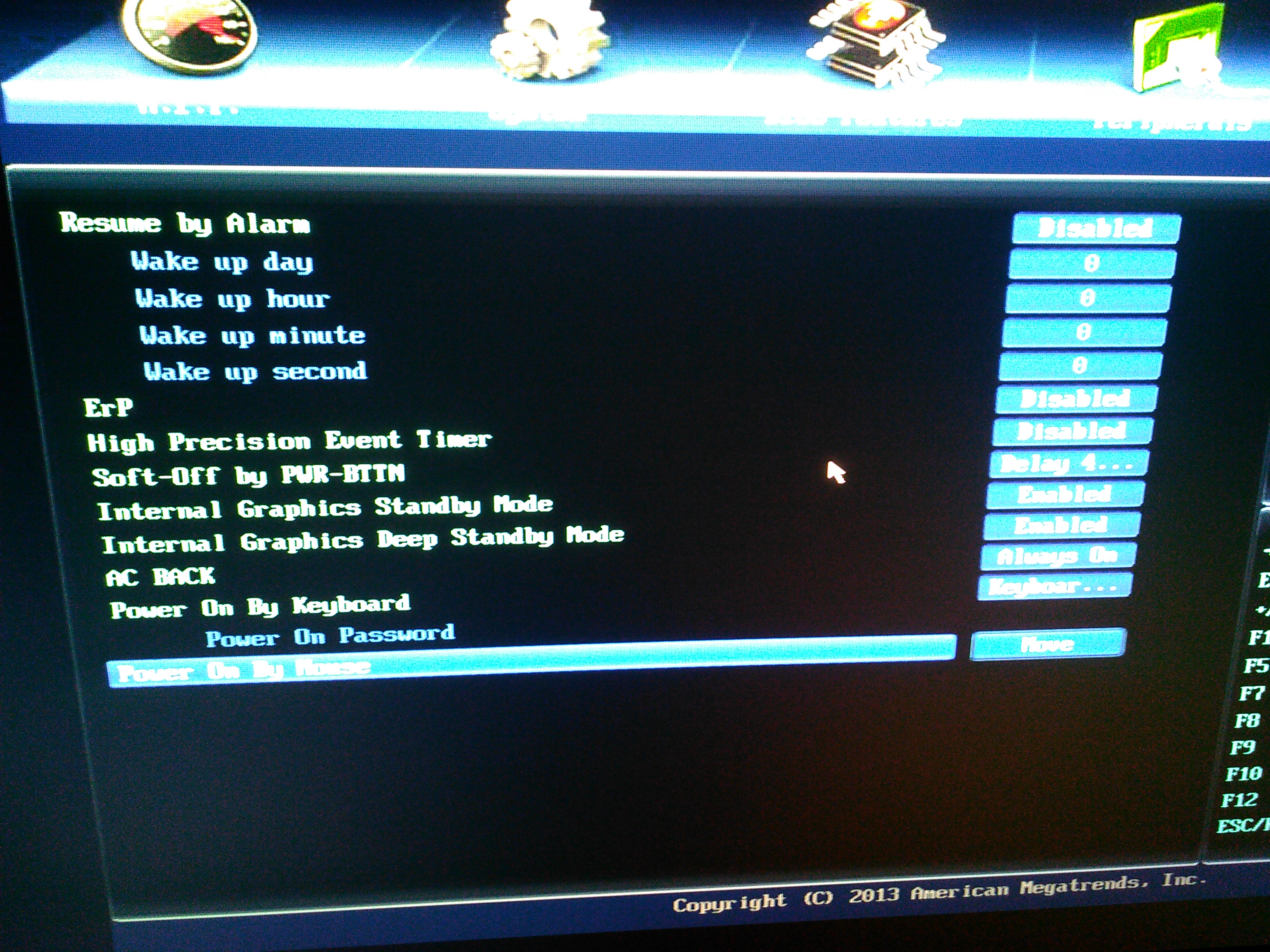
That's my BIOS
Re: Rayman 2 Model Ripping!!!
Is that your computers bios or is that within Windows 8?
-
Master
- Posts: 53544
- Joined: Sun Aug 21, 2011 10:14 am
- Location: Somewhere specific, I'd assume.
- Tings: 468320
Re: Rayman 2 Model Ripping!!!
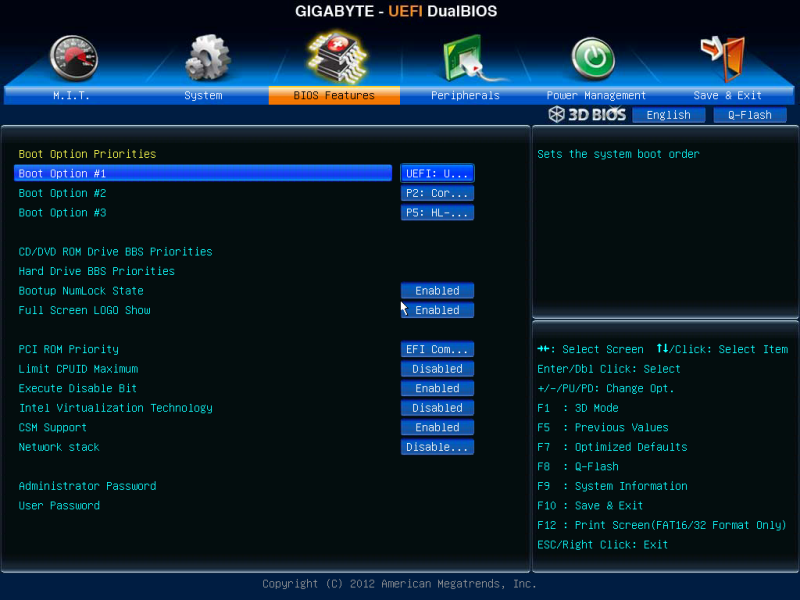
That's the BIOS settings, I've never seen anything like that in Win8. Quite a fancy settings screen there, mine's just an old school blue-white endeavour. But I digress.
You should find a tab or area which concerns boot options, that's probably where you'll find the settings you need.
EDIT: I looked up to see if I could find a BIOS menu which looked like yours, here's what I found for the boot options:
You should find a tab or area which concerns boot options, that's probably where you'll find the settings you need.
EDIT: I looked up to see if I could find a BIOS menu which looked like yours, here's what I found for the boot options:
Re: Rayman 2 Model Ripping!!!
Again, what Master said. Please note that the ISO you write to your USB must be bootable. I'm still puzzled by your error,
"No bootable device in table" I could only assume that the USB is not bootable.
"No bootable device in table" I could only assume that the USB is not bootable.
-
Master
- Posts: 53544
- Joined: Sun Aug 21, 2011 10:14 am
- Location: Somewhere specific, I'd assume.
- Tings: 468320
Re: Rayman 2 Model Ripping!!!
It might be that your USB is meant to work for the old BIOS instead of the new UEFI, try seeing if there's anything you might need to do if you're using UEFI over BIOS. I know I had some trouble with boot devices when I installed Linux Mint on my laptop because I'd initially used a boot stick for BIOS, I did some further reading and set it up so it was for UEFI, and it worked properly thereafter.
Re: Rayman 2 Model Ripping!!!
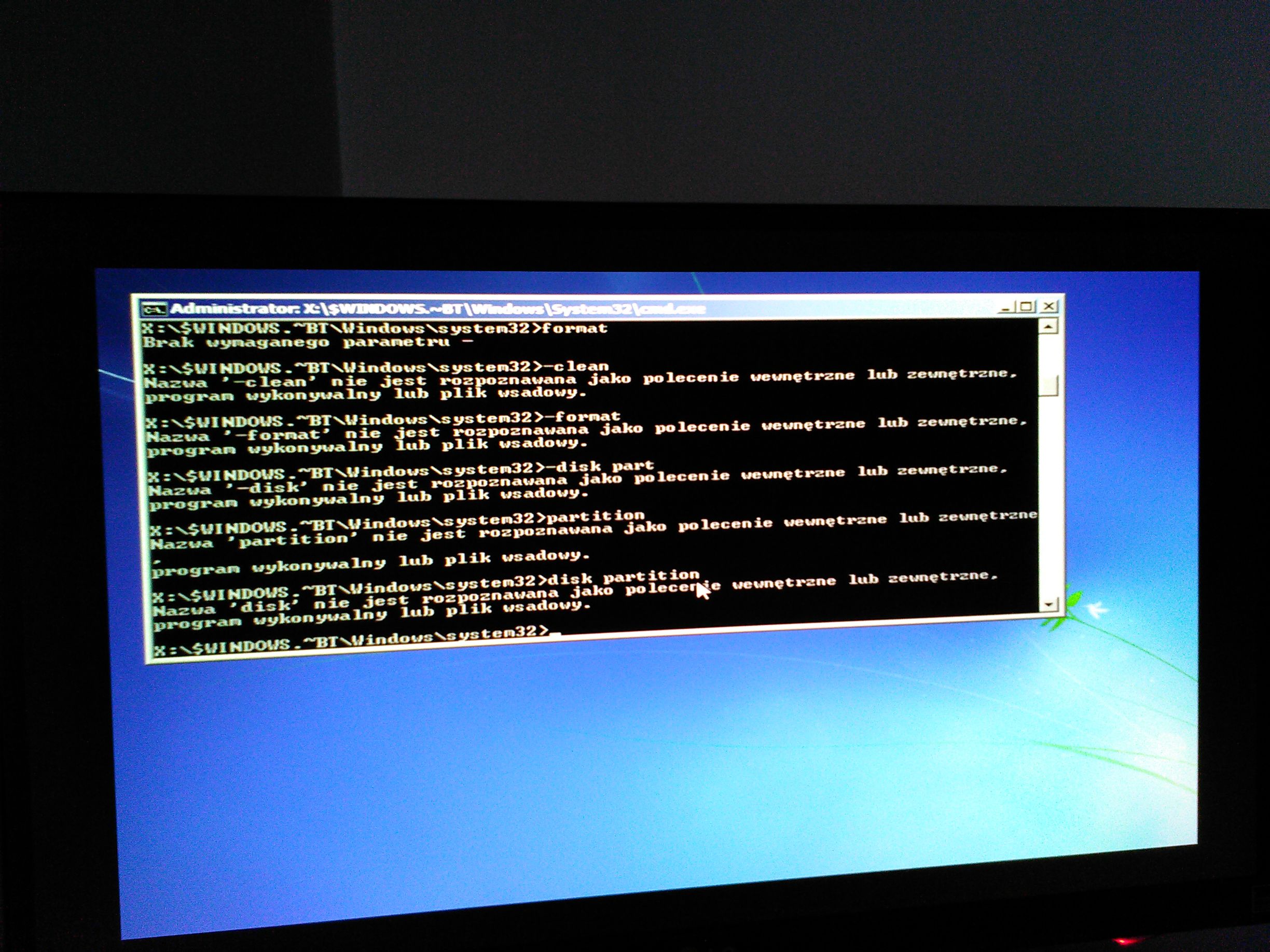
I tried from pendrive,but it's no use.That's the result.
Re: Rayman 2 Model Ripping!!!
When setting up Windows 7. Did you click the Cmd Prompt? It is possible to install Windows 7 via cmd but very odd to do so.
Type the following into the Cmd line, "DISKPART"
Type the following into the Cmd line, "DISKPART"
Re: Rayman 2 Model Ripping!!!
DISKPART and what's next how's all cmd commands working to install windows 7 from usb flash drive?
Re: Rayman 2 Model Ripping!!!
Command-line installation. But that really is not needed since you can already boot from your USB.
Here is a simple tutorial on a clean Windows 7 installation.
Here is a simple tutorial on a clean Windows 7 installation.
Re: Rayman 2 Model Ripping!!!
I still have Windows 8.1.What if Windows 7 instalation will be failed(because of format)?I'm afraid my brother installed legal box with Windows 8.1 disc in it?What if(I have Windows 7 on dvd disc-corrupted plus all versions and activator,but errors 0x8007001B and 0x000007 of instalation)?
Re: Rayman 2 Model Ripping!!!
Windows 7 installation will not fail since you need to format the partition Windows 8.1 is on. The version you have seems to be fine.
Re: Rayman 2 Model Ripping!!!
I installed Windows 7 Ultimate without Black Editions and All Activators plus All Versions within 0x000001f error and without internet.I can't(I didn't) find my network card in pc,but it works in Windows 8.1.My brother thung someday to buy newer Windows.Why jj2 animation extractor winaa1.exe and #D Ripper can't work like old games launched on GOG.com?
Re: Rayman 2 Model Ripping!!!
Let's back to 3D Ripper DX model extraction conversation.