Post your Desktop!!

For everything not related to either Rayman or Pirate-Community.
Forum rules
Please keep the forum rules and guidelines in mind when creating or replying to a topic.
incognito
Electoon
Posts: 15619
Joined: Wed Oct 02, 2013 10:34 am
Tings: 0

Re: Show your computer backgrounds?

Post by incognito »

LoveMetal wrote:I always have a root term in desktop 4, so Super+4/halt is enough.
This, mister, is not safe.
I asked someone I know to download 14.2 for me, he has access to an awesome connection at his work, I should have it in a month or so, it depends on how busy the dude is.
PluMGMK
Annetta Fish
Posts: 40508
Joined: Fri Jul 31, 2009 9:00 pm
Location: https://www.youtube.com/watch?v=cErgMJSgpv0
Contact:
Tings: 136606

Re: Show your computer backgrounds?

Post by PluMGMK »

Is that wise? :P
Reminds me of when I used i3 on Debian and had Super+Shift+h bound to "gksudo halt". So I had to type my password, but it was still marginally more convenient than that.

Right now I use the Wayland-based sway window manager on a Linux from Scratch system, and I haven't been bothered to install a display manager, so I just close the wm, go "exit" and press the power button to trigger an ACPI shutdown!
incognito
Electoon
Posts: 15619
Joined: Wed Oct 02, 2013 10:34 am
Tings: 0

Re: Show your computer backgrounds?

Post by incognito »

Linux from Scratch ?! Btw can you show a pic of your desktop ? I'm curious.
PluMGMK
Annetta Fish
Posts: 40508
Joined: Fri Jul 31, 2009 9:00 pm
Location: https://www.youtube.com/watch?v=cErgMJSgpv0
Contact:
Tings: 136606

Re: Show your computer backgrounds?

Post by PluMGMK »

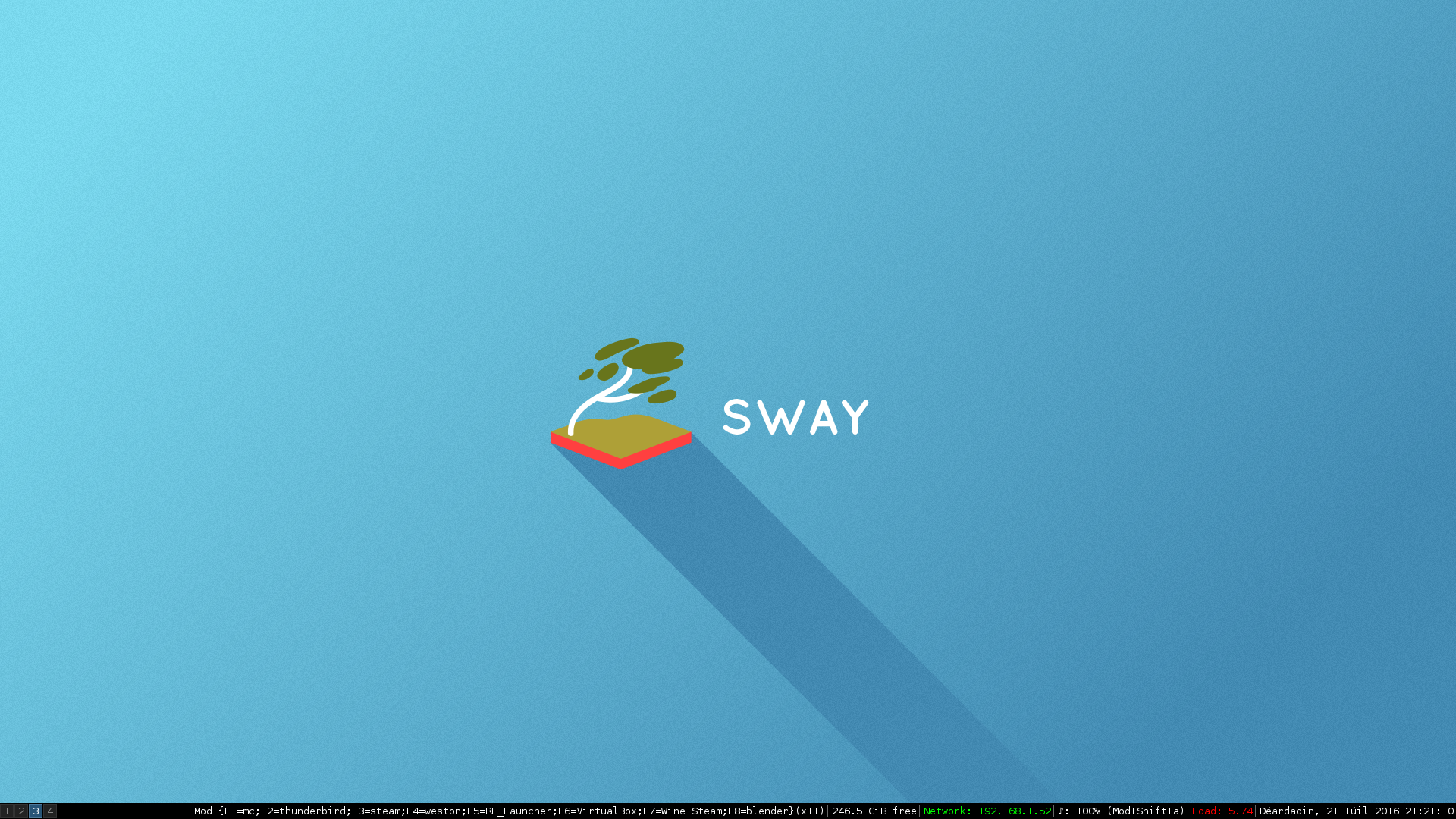
Problem with tiling wms is that the "desktop" doesn't show much! Especially when I just use a stock wallpaper… But anyway, link to a screenshot:
https://www.vigovproductions.net/2016-0 ... aygrab.png

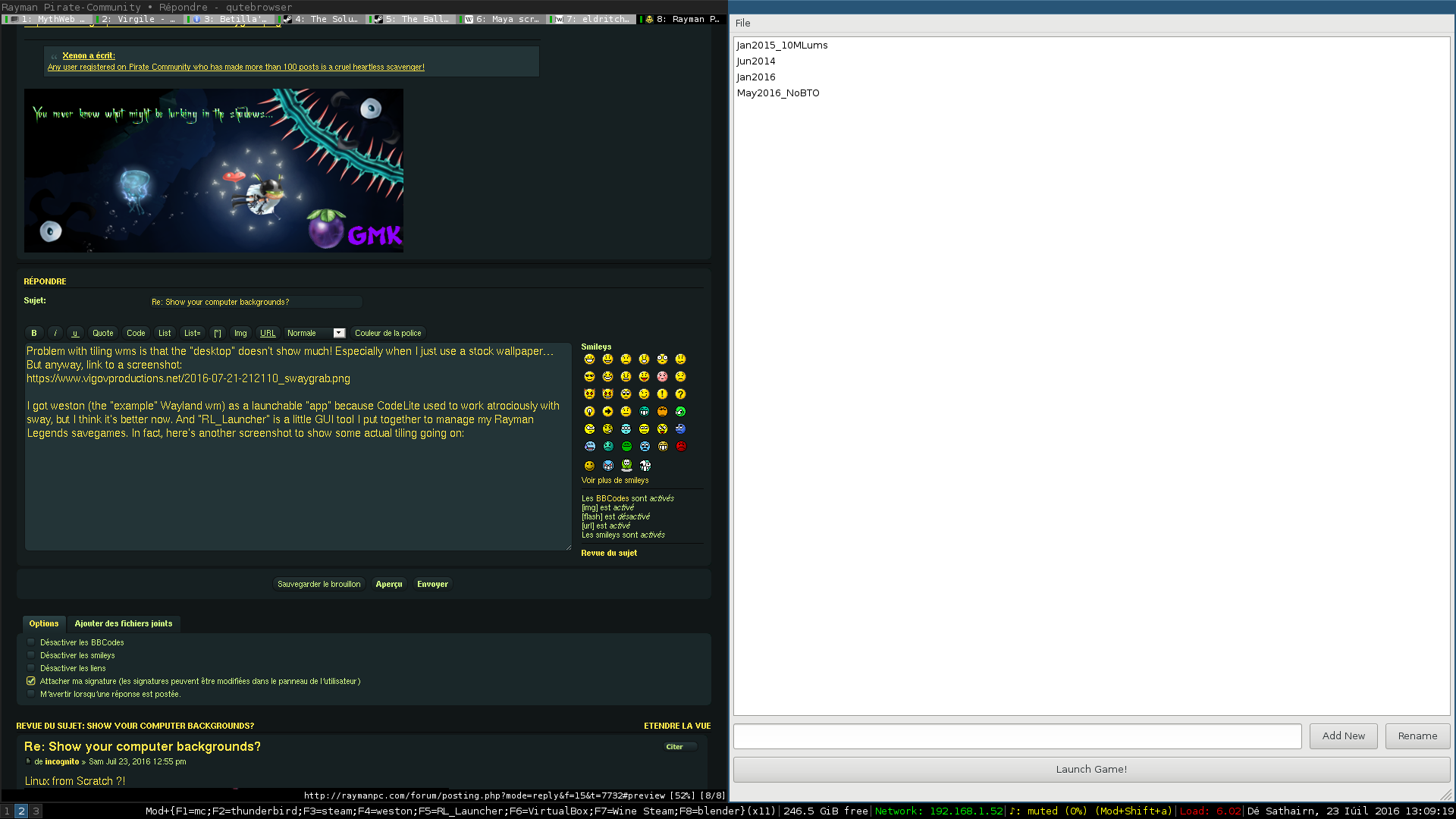
I got weston (the "example" Wayland wm) as a launchable "app" because CodeLite used to work atrociously with sway, but I think it's better now. And "RL_Launcher" is a little GUI tool I put together to manage my Rayman Legends savegames. In fact, here's another screenshot to show some actual tiling going on:
https://www.vigovproductions.net/2016-0 ... aygrab.png

The "x11" in brackets just indicates what backend the next app I launch will use. It can also be "wayland". It's a little customization I put together myself, I can explain in more detail if you're interested.
incognito
Electoon
Posts: 15619
Joined: Wed Oct 02, 2013 10:34 am
Tings: 0

Re: Show your computer backgrounds?

Post by incognito »

Waaaay to much sober for my taste :mrgreen: , and I'm happy with X11 for now, since I have nothing to do, I guess I can boot up my machine. :?
PluMGMK
Annetta Fish
Posts: 40508
Joined: Fri Jul 31, 2009 9:00 pm
Location: https://www.youtube.com/watch?v=cErgMJSgpv0
Contact:
Tings: 136606

Re: Show your computer backgrounds?

Post by PluMGMK »

Well, I wanted to see what all the fuss was about with Wayland. Right now, the biggest fuss is the stupid lack of pointer-locking! Rules it out for most gaming. As, of course, does NVIDIA's approach with the proprietary driver: it supports Wayland, but only with compositors that work their way, i.e. their patched version of Weston and nothing else.
incognito
Electoon
Posts: 15619
Joined: Wed Oct 02, 2013 10:34 am
Tings: 0

Re: Show your computer backgrounds?

Post by incognito »

Then why don't you switch back to X11 ?
PluMGMK
Annetta Fish
Posts: 40508
Joined: Fri Jul 31, 2009 9:00 pm
Location: https://www.youtube.com/watch?v=cErgMJSgpv0
Contact:
Tings: 136606

Re: Show your computer backgrounds?

Post by PluMGMK »

Because I still have Debian installed, which I can use if I need X11, which I don't often.
incognito
Electoon
Posts: 15619
Joined: Wed Oct 02, 2013 10:34 am
Tings: 0

Re: Show your computer backgrounds?

Post by incognito »

I personally prefer to have a all in one system, it is more convenient.
Image
Here is mine btw
LoveMetal
André
Posts: 15108
Joined: Fri Oct 09, 2009 6:11 pm
Tings: 225055

Re: Show your computer backgrounds?

Post by LoveMetal »

Thank you for the 250x141 screenshot bro.
incognito
Electoon
Posts: 15619
Joined: Wed Oct 02, 2013 10:34 am
Tings: 0

Re: Show your computer backgrounds?

Post by incognito »

Click on it... :roll:
PluMGMK
Annetta Fish
Posts: 40508
Joined: Fri Jul 31, 2009 9:00 pm
Location: https://www.youtube.com/watch?v=cErgMJSgpv0
Contact:
Tings: 136606

Re: Show your computer backgrounds?

Post by PluMGMK »

Gotta admit, that looks very nice.
incognito
Electoon
Posts: 15619
Joined: Wed Oct 02, 2013 10:34 am
Tings: 0

Re: Show your computer backgrounds?

Post by incognito »

Thank you ! I was thinking about switching to fluxbox or Spectrfm actually, I dunno why, just wanna give them a try.
I always end up coming back at Awesome though.
Dart
Clark
Posts: 4950
Joined: Tue Aug 21, 2012 3:04 pm
Location: The Realm Of Perpetual Sleepiness
Tings: 49845

Re: Show your computer backgrounds?

Post by Dart »

Image
incognito
Electoon
Posts: 15619
Joined: Wed Oct 02, 2013 10:34 am
Tings: 0

Re: Show your computer backgrounds?

Post by incognito »

Windows? Disappointing.
Dart
Clark
Posts: 4950
Joined: Tue Aug 21, 2012 3:04 pm
Location: The Realm Of Perpetual Sleepiness
Tings: 49845

Re: Show your computer backgrounds?

Post by Dart »

At least windows runs what you want it to, unlike a Mac :roll:
PluMGMK
Annetta Fish
Posts: 40508
Joined: Fri Jul 31, 2009 9:00 pm
Location: https://www.youtube.com/watch?v=cErgMJSgpv0
Contact:
Tings: 136606

Re: Show your computer backgrounds?

Post by PluMGMK »

But God help you if you change your motherboard.
incognito
Electoon
Posts: 15619
Joined: Wed Oct 02, 2013 10:34 am
Tings: 0

Re: Show your computer backgrounds?

Post by incognito »

Who still uses Quick Time in 2016 :lol:, like... Really ?
incognito
Electoon
Posts: 15619
Joined: Wed Oct 02, 2013 10:34 am
Tings: 0

Re: Show your computer backgrounds?

Post by incognito »

Bump !
Image
Still the same, but, made some updates.
DandyGuy
Teensy Hermit
Posts: 6238
Joined: Wed Jul 06, 2011 12:23 pm
Tings: 1772

Re: Show your computer backgrounds?

Post by DandyGuy »

I thought I was the only one who used that galaxy theme in Firefox :mryellow:
Last edited by DandyGuy on Thu Dec 21, 2017 2:05 am, edited 2 times in total.
Post Reply