
You need any version that is greater than or equal to 2019.2.5f1. To update Unity, just go into "Installs" in the Unity Hub and click the blue "Add" button, then select the latest official release from there.gamerz31w wrote: Tue Oct 22, 2019 7:52 pm Well I thought I need Unity 2018.5.1f,but I didn't find it this version so in Unity Hub I found Unity 2017.5.1f old and outdated version.
Rayman 2
Forum rules
Please keep the forum rules and guidelines in mind when creating or replying to a topic.
Please keep the forum rules and guidelines in mind when creating or replying to a topic.
Re: Rayman 2

Re: Rayman 2
Hey! When I try to extract Rayman Revolution files I get this error but I don't know how to fix it. However I use the most recent uploded .jar file on the Github 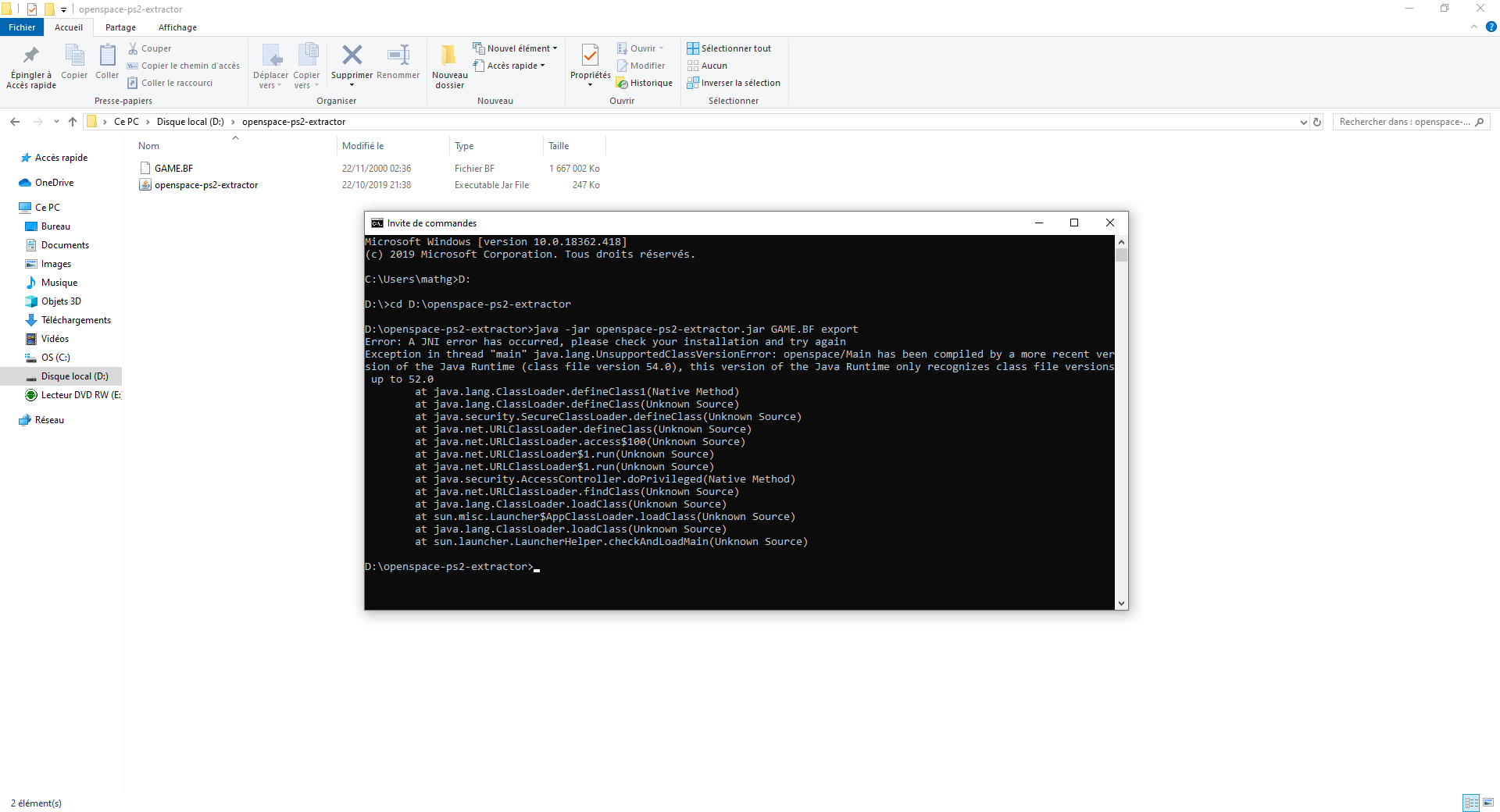
-
PluMGMK

- Posts: 40590
- Joined: Fri Jul 31, 2009 9:00 pm
- Location: https://www.youtube.com/watch?v=cErgMJSgpv0
- Contact:
- Tings: 137066
Re: Rayman 2
Sounds like you need to install a more recent version of Java…
Re: Rayman 2
It's wired because I've update Java 1 or 2 weeks ago
Re: Rayman 2
Yeah, sorry about that. I made that when I was experimenting with Java 10, so you'll need the latest version of JDK >= 10. If you're using the normal JRE then you're probably still on 8, and you'll need to get a later version from here.
(sorry for turning this thread into a technical support thread btw :p)
Re: Rayman 2
Even after installing the lastest version of JDK, the message still here 

Re: Rayman 2
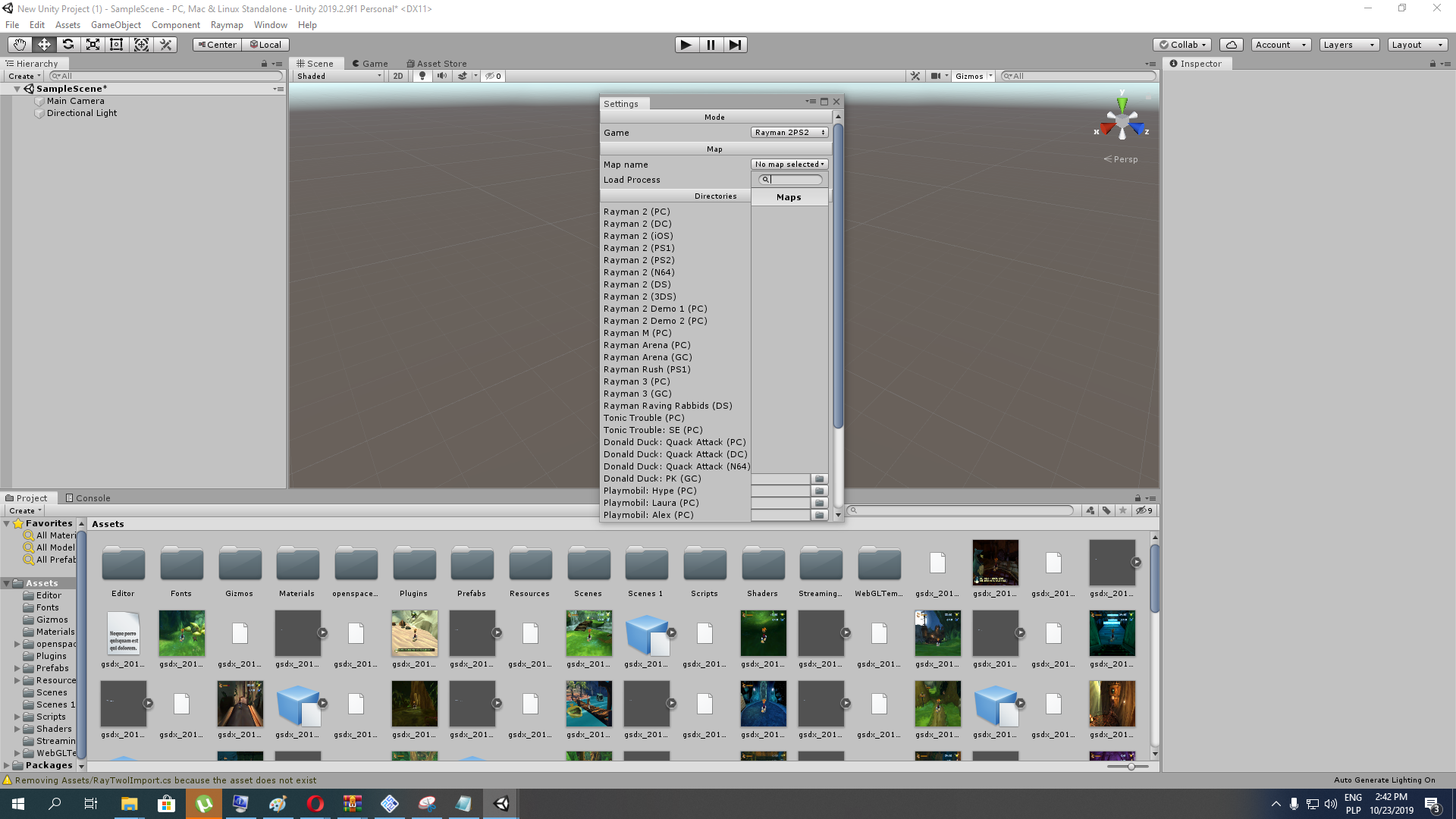
It seems something's stared working,but not properly. It seems it can't load maps.
Re: Rayman 2
Can you check with "java -version" in command line? Your PATH variable might be referencing an older installation of java.ElZboub wrote: Wed Oct 23, 2019 9:04 am Even after installing the lastest version of JDK, the message still here
Again, why is Raymap not in a separate directory?gamerz31w wrote: Wed Oct 23, 2019 1:53 pm It seems something's stared working,but not properly. It seems it can't load maps.
You also still need to open the MapViewer scene in the Scenes folder.
Also, make sure that the directory next to "Rayman 2 (PS2)" in the directory list is set to the one that contains all the level folders (air_00, astro_00, etc).
Re: Rayman 2
When I execute the command I obtain that:
java version "1.8.0_231"
Java(TM) SE Runtime Environment (build 1.8.0_231-b11)
Java HotSpot(TM) 64-Bit Server VM (build 25.231-b11, mixed mode)
But I don't know if it's an older version or not because I'm not use java very often
java version "1.8.0_231"
Java(TM) SE Runtime Environment (build 1.8.0_231-b11)
Java HotSpot(TM) 64-Bit Server VM (build 25.231-b11, mixed mode)
But I don't know if it's an older version or not because I'm not use java very often
Re: Rayman 2
wait you are talking about pc version of rayman 2 not ps2 port aka rayman revolution because file names for example air_00,astro_00 is for rayman 2 pc port. so where should i drag raymap folder if this have to be separated?
Re: Rayman 2
Yeah, that's Java 8. You can change the directory to the new JDK directory in the PATH variable like this.ElZboub wrote: Wed Oct 23, 2019 2:19 pm When I execute the command I obtain that:
java version "1.8.0_231"
Java(TM) SE Runtime Environment (build 1.8.0_231-b11)
Java HotSpot(TM) 64-Bit Server VM (build 25.231-b11, mixed mode)
But I don't know if it's an older version or not because I'm not use java very often
But I'll upload the files to save you the trouble. See the link at the bottom of this post.
You get those files for PS2 after you run openspace-ps2-extractor on the GAME.BF file. Since it can get a bit complicated, I've uploaded the files that you get from running openspace-ps2-extractor below (both the English and Japanese versions are included). Just extract this archive and select either the r2_ps2 or r2_ps2_jp directory in Raymap.gamerz31w wrote: Wed Oct 23, 2019 2:20 pm wait you are talking about pc version of rayman 2 not ps2 port aka rayman revolution because file names for example air_00,astro_00 is for rayman 2 pc port. so where should i drag raymap folder if this have to be separated?

R2 PS2 files: https://mega.nz/#!oThiHaJb!GFSd1FX2Urlw ... 10cBRbqSCM
Re: Rayman 2
Thank you very much  ! That's really nice of you!
! That's really nice of you!Re: Rayman 2
Because speaking Rayman 2(PS2)/Rayman Revolution I extracted all maps maps and all the time I used older ps2 pc emulator version of pcsx2 0.9.8 instead of newer one 1.4.0 of pcsx2 and I also played rayman revolution original ps2 rom from ps2 legit dvd copy in 100% legal not ps2 rom.
-
Hunchman801

- Posts: 87868
- Joined: Thu Aug 07, 2003 6:50 pm
- Location: Paris, France
- Contact:
- Tings: 641217
Re: Rayman 2
I think a Raymap thread could come in handy. 

Re: Rayman 2
I'm actually surprised there isn't one, though I think it would make more sense for Droolie to be the one who makes it.
Re: Rayman 2
I even recorded some videos.
https://www.mediafire.com/file/1ffv06se ... 3.mp4/file
https://www.mediafire.com/file/fbgj2597 ... 1.mp4/file
https://www.mediafire.com/file/1ffv06se ... 3.mp4/file
https://www.mediafire.com/file/fbgj2597 ... 1.mp4/file
-
StelzenBomber

- Posts: 2213
- Joined: Wed Dec 13, 2017 3:07 pm
- Tings: 25652
Re: Rayman 2
So has anyone ever heard of this?
Apearently, this is an anti piracy screen
Apearently, this is an anti piracy screen
Re: Rayman 2
Yes I did. It seems to be Rayman 2 pc version anti-piracy measures I guess. It was when I had Rayman 2 pirated cd-rom copy. 20 years ago I bought original copy of Rayman 2 pc port. As I remember when Windows XP came out my game wasn't working the installation progress properly less than 50%.

Re: Rayman 2
I remember getting that screen with my legit CD of Rayman 2.
What I don’t remember is whether it also happened when I was playing it under Windows 98. Maybe not.
What I don’t remember is whether it also happened when I was playing it under Windows 98. Maybe not.
Re: Rayman 2
I never had the CD version, only the digital one. I heard it's a nightmare to get the CD version to work on modern computers also.