

Rayman ReDesigner
Forum rules
Please keep the forum rules and guidelines in mind when creating or replying to a topic.
Please keep the forum rules and guidelines in mind when creating or replying to a topic.

Re: Rayman ReDesigner
Thanks ^^
Re: Rayman ReDesigner
Anyone? no? should I custom myself the tiles? I want to create the dark walls and the background darck walls with the multicolors stars and I don't know how to creat some, I didn't find the topics talking about it
-
raymandesigner

- Posts: 188
- Joined: Wed Jul 14, 2010 6:07 am
- Tings: 941
Re: Rayman ReDesigner
Rayman Redesigner Graphics Perfect Fully Completed Graphics
Rayman atari jaguar version rayman cp rayman maternelle sprites added
rayman 1 missing tilesets added
Download: https://mega.nz/file/9lcUXB7I#IWil6DneV ... 28XF1zYug4
Screen Shots:

Rayman atari jaguar version rayman cp rayman maternelle sprites added
rayman 1 missing tilesets added
Download: https://mega.nz/file/9lcUXB7I#IWil6DneV ... 28XF1zYug4
Screen Shots:
Last edited by raymandesigner on Thu Apr 16, 2026 11:32 pm, edited 21 times in total.
Re: Rayman ReDesigner
Thank you very much, I didn't noticed the message ^^'
Re: Rayman ReDesigner
Hello everyone,
I wanted to share with you my new redesigner map I am currently working on, it will be a very... VERY difficult map.
I'll let you judge with the following video ^^ the background was made using an ai online and I like the result
https://youtu.be/sEdtok-2ReM
I wanted to share with you my new redesigner map I am currently working on, it will be a very... VERY difficult map.
I'll let you judge with the following video ^^ the background was made using an ai online and I like the result
https://youtu.be/sEdtok-2ReM
-
GAMEplayer012

- Posts: 133
- Joined: Thu Nov 02, 2023 2:46 pm
- Location: Glade of Dreams, Big Tree Number 12, Third brench
- Tings: 10
Re: Rayman ReDesigner
Are you want challenge by me?Rhomahan wrote: Wed Jun 05, 2024 10:38 pm Hello everyone,
I wanted to share with you my new redesigner map I am currently working on, it will be a very... VERY difficult map.
I'll let you judge with the following video ^^ the background was made using an ai online and I like the result
https://youtu.be/sEdtok-2ReM
Re: Rayman ReDesigner
"are you want"? you mean " DO YOU WANT to challenge " right? X) I don't know what you do but I'd like to see what you have made ^^
-
GAMEplayer012
- Posts: 133
- Joined: Thu Nov 02, 2023 2:46 pm
- Location: Glade of Dreams, Big Tree Number 12, Third brench
- Tings: 10
Re: Rayman ReDesigner
I made it. Search in Rayman Redistributor "Challenges" and "Dark island". Author: GAMEplayer012.Rhomahan wrote: Thu Jun 06, 2024 7:22 pm "are you want"? you mean " DO YOU WANT to challenge " right? X) I don't know what you do but I'd like to see what you have made ^^
Re: Rayman ReDesigner
I can't download, it just opened a full line of code

Re: Rayman ReDesigner
Save it as a txt file and use the load option in the game.
-
Mortamon Saturn

- Posts: 3913
- Joined: Mon Oct 02, 2017 10:12 pm
- Location: La Grotte des Mauvais Rêves
- Contact:
- Tings: 62105
Re: Rayman ReDesigner
It's a common issue with Redistributor levels with only a level file.
Just right click the download button and select "save target as" and you should be able to actually get the txt file.
While I'm passing by, here are many playable prototypes for my old projects! I don't know if I'll ever get to complete them, so I might as well share the content and ideas in some form just in case.

My prototypes will now be shared through this Redistributor bundle! https://raydistributor.com/content/RAY-ZUKZ-V0
I'll update it whenever I add more demos to it!
It currently contains six maps + two bonus skins (Cold Rayman and Dreamy Rayman):
-Rayman Winter's Holiday (three functional sections).
-The Chessmaster's Castle (two functional sections).
-The Lonely Cliff ReDesigned (fully functional).
-The Witch's Wonderland (one functional and one semi-functional sections).
-The Joy of Dreaming (one functional and three semi-functional sections).
-The Lonely Cliff's Shadow (one functional section).
(Note that it's recommended to play in the editor due to incompleteness, and the tracks for the most unfinished maps are highly compressed in order to reduce the package's size.)
Btw, I'm not giving up on Rayman GBC ReDesigned (aside from the custom skins), it's just been on hold/sluggish progress for a looong time due to many important things, including moving home this year...
Dark Legacy's final release is nearing completion and I'm working on the old levels' updates and now the GBC web demo's level, so hopefully my free time won't hit another roadblock until it's all done

In the meanwhile, here's a neat little thing I made around the project! Did you know that the Japanese version of Rayman GBC had unique symbols for each level title?
- GBC Worlds.png (2.13 KiB) Viewed 1914 times
- GBC Japan Worlds.png (1.64 KiB) Viewed 1914 times
- GBC Coloured Worlds.png (3.24 KiB) Viewed 1914 times
- GBC ReDesigned Worlds.png (3.21 KiB) Viewed 1914 times
- GBC ReDesigned Coloured Worlds.png (5.38 KiB) Viewed 1914 times
-
raymandesigner
- Posts: 188
- Joined: Wed Jul 14, 2010 6:07 am
- Tings: 941
Re: Rayman ReDesigner
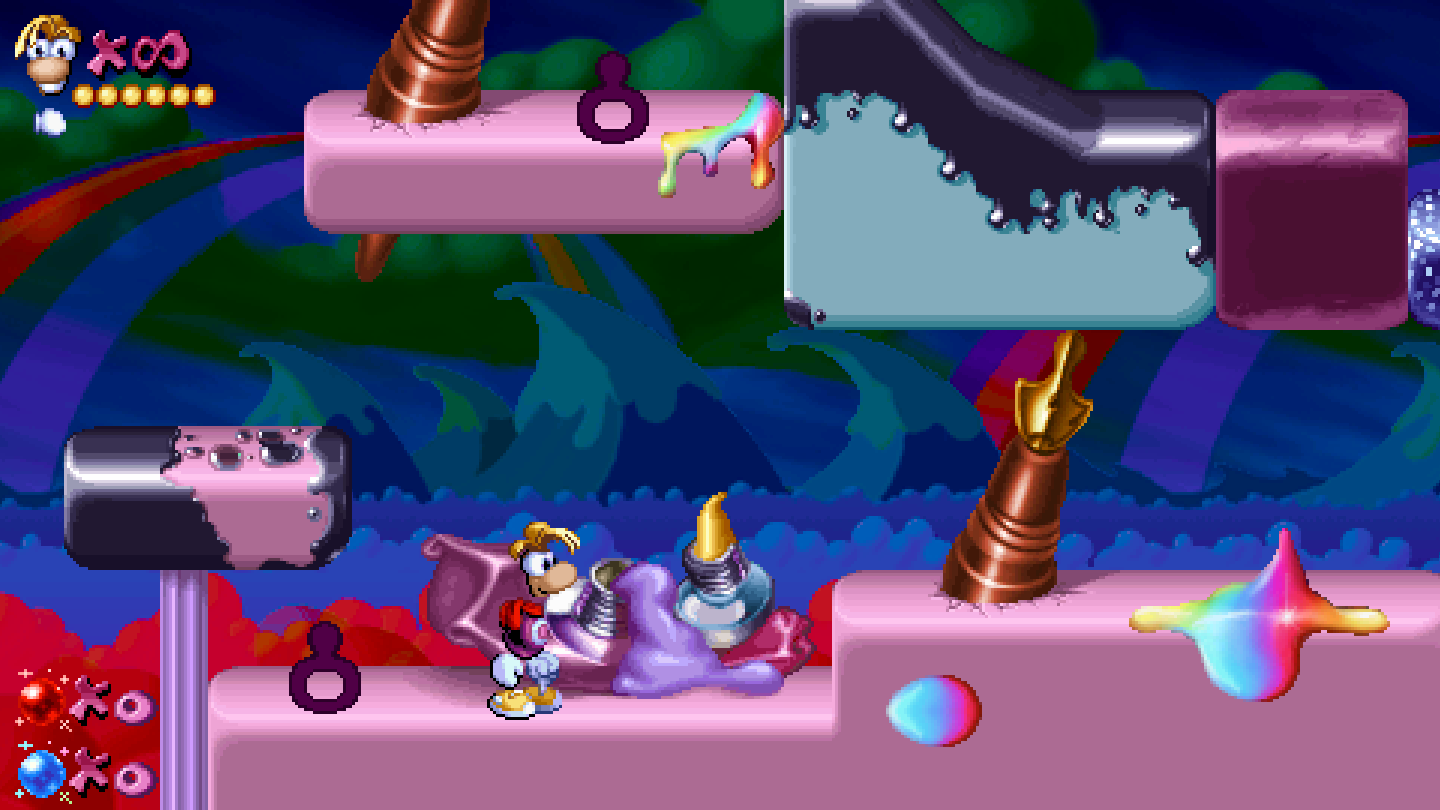
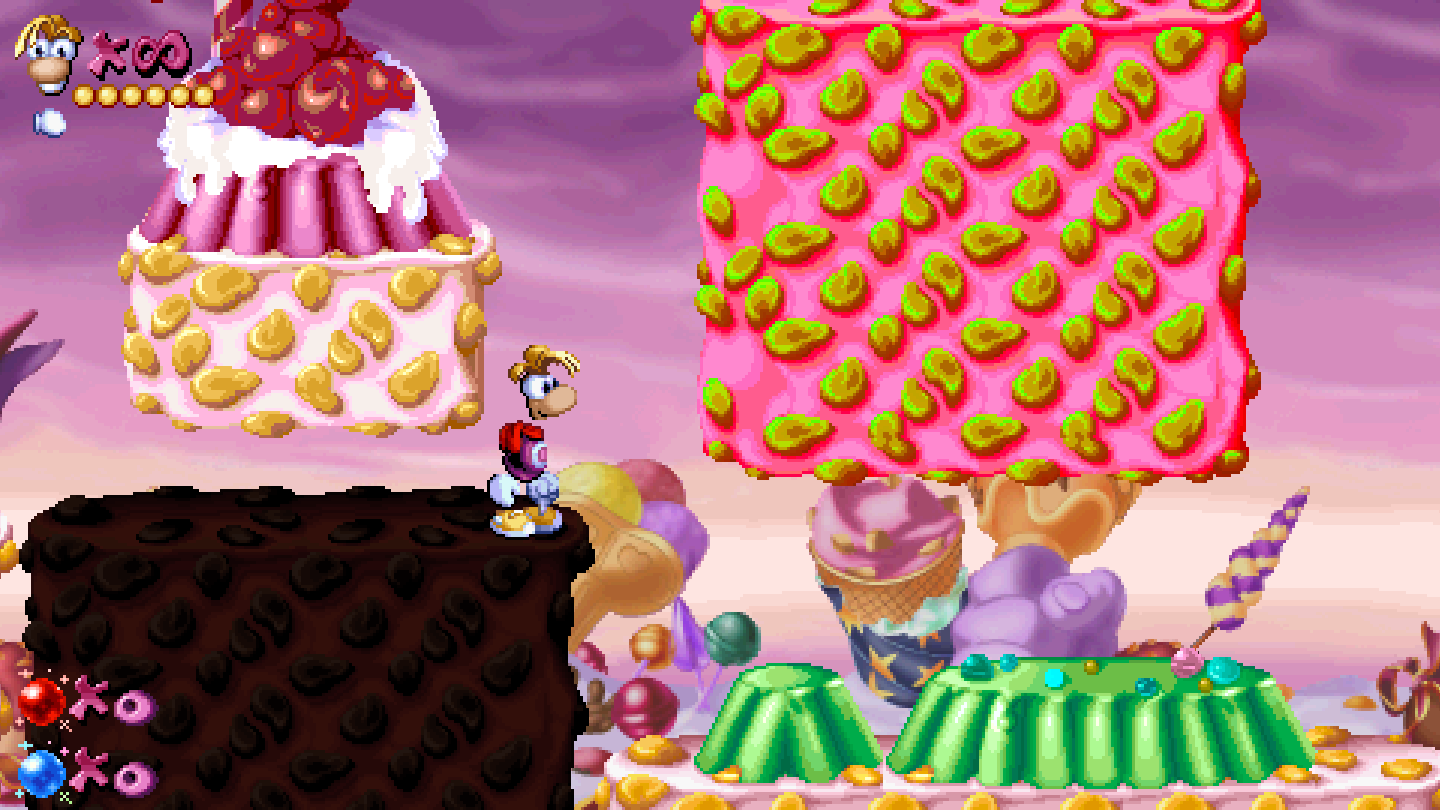
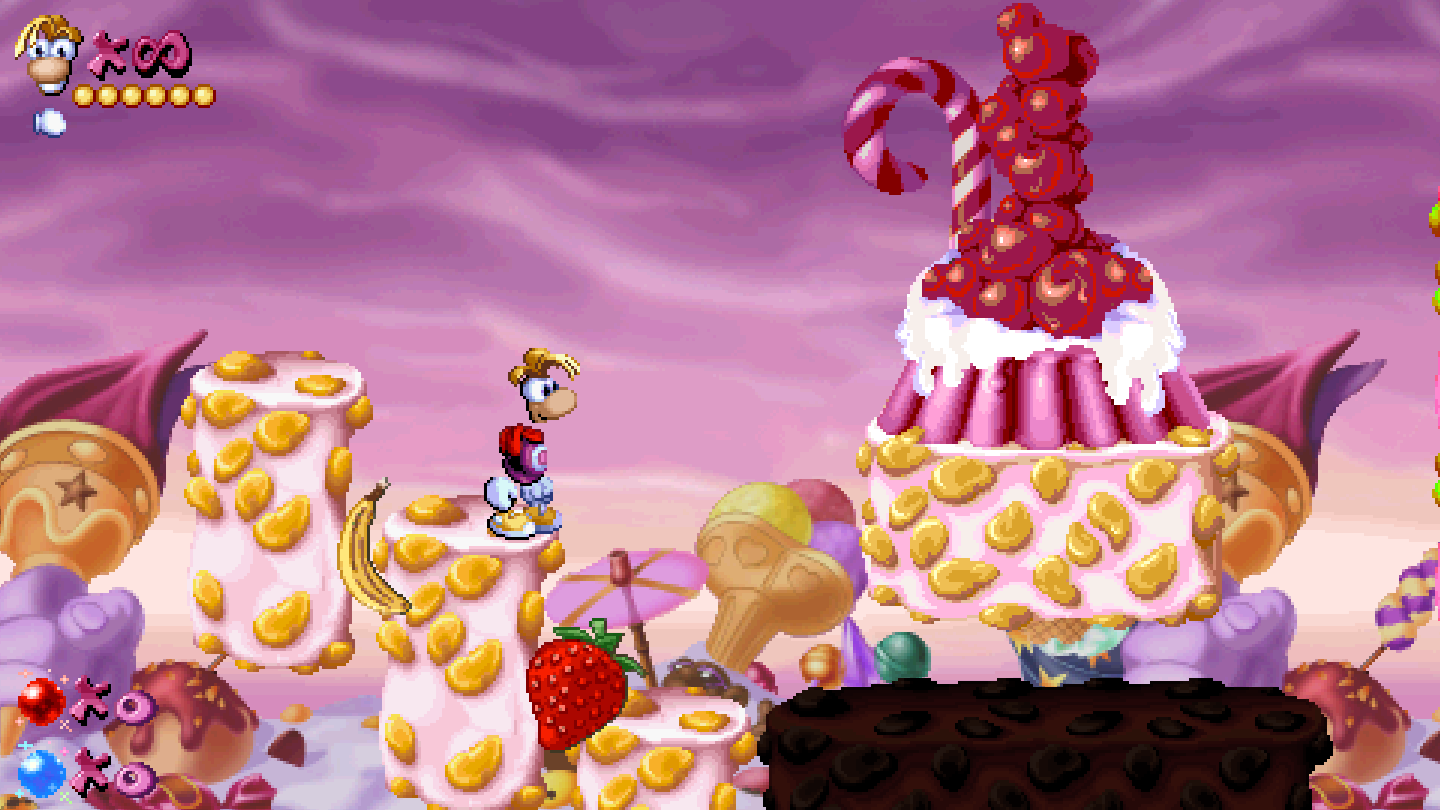
Rayman Redesigner Custom Graphics added Updated
Dream Forest Yellow Mini Flower,Plants,Yellow Wooden Added
Picture City Atari Jaguar 1994 CES Beta Version Objest New Added
Candy Chateau Chocolate Cookie Strawberry Cookie confectionery Added
Download: https://mega.nz/file/9lcUXB7I#IWil6DneV ... 28XF1zYug4
Screen Shots:
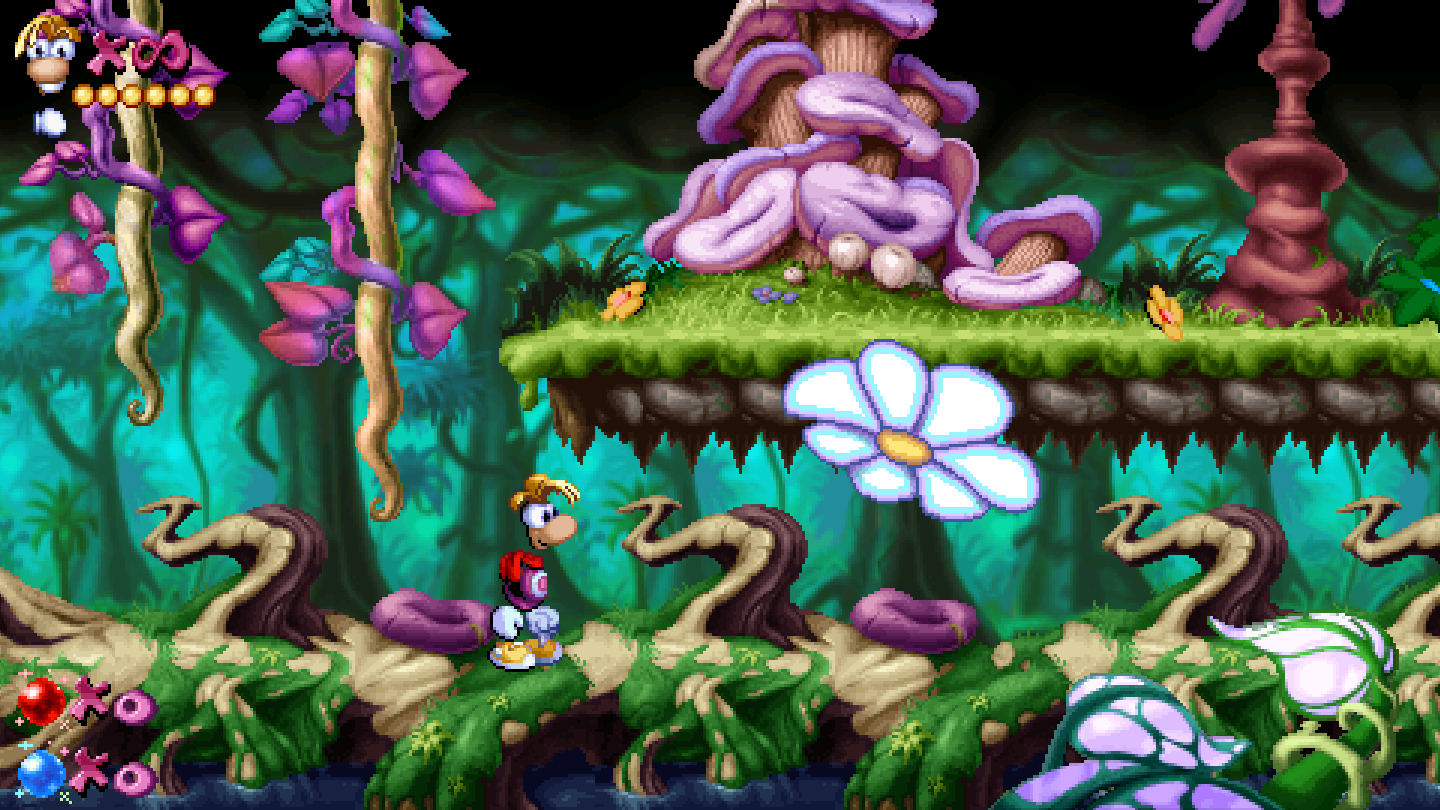

Dream Forest Yellow Mini Flower,Plants,Yellow Wooden Added
Picture City Atari Jaguar 1994 CES Beta Version Objest New Added
Candy Chateau Chocolate Cookie Strawberry Cookie confectionery Added
Download: https://mega.nz/file/9lcUXB7I#IWil6DneV ... 28XF1zYug4
Screen Shots:
Last edited by raymandesigner on Thu Apr 16, 2026 11:32 pm, edited 22 times in total.
-
Hunchman801

- Posts: 87838
- Joined: Thu Aug 07, 2003 6:50 pm
- Location: Paris, France
- Contact:
- Tings: 641067
Re: Rayman ReDesigner
If the owner reads this, they can easily fix it by setting the Content-Disposition header to the right value:Mortamon Saturn wrote: Sat Jun 15, 2024 4:31 pm It's a common issue with Redistributor levels with only a level file.
Just right click the download button and select "save target as" and you should be able to actually get the txt file.
Code: Select all
Content-Disposition: attachment; filename="level.txt"Wait, I thought the level names had been replaced with symbols in the game, and were only present in the manual, but it looks like this is not the case. Interestingly enough, the names on your screenshot are not written in kanji, unlike those in the manual, but besides that they're probably the very same. Can you elaborate a bit on where in the game level names appear and how the Japanese version differs from the other one?Mortamon Saturn wrote: Sat Jun 15, 2024 4:31 pm In the meanwhile, here's a neat little thing I made around the project! Did you know that the Japanese version of Rayman GBC had unique symbols for each level title?
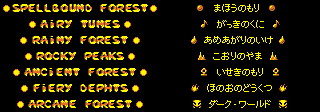

Anyway, great idea to reuse those symbols, it certainly looks very good like that!
-
Mortamon Saturn
- Posts: 3913
- Joined: Mon Oct 02, 2017 10:12 pm
- Location: La Grotte des Mauvais Rêves
- Contact:
- Tings: 62105
Re: Rayman ReDesigner
It's not really a screenshot but actually a compilation of every level banner file from the cutscenes (I took the files provided by RayCarrot, and used them as the basis for my custom titles).Hunchman801 wrote: Sun Aug 04, 2024 12:46 pmWait, I thought the level names had been replaced with symbols in the game, and were only present in the manual, but it looks like this is not the case. Interestingly enough, the names on your screenshot are not written in kanji, unlike those in the manual, but besides that they're probably the very same. Can you elaborate a bit on where in the game level names appear and how the Japanese version differs from the other one?Mortamon Saturn wrote: Sat Jun 15, 2024 4:31 pm In the meanwhile, here's a neat little thing I made around the project! Did you know that the Japanese version of Rayman GBC had unique symbols for each level title?
Anyway, great idea to reuse those symbols, it certainly looks very good like that!
Those level names do show up in the game alongside their symbols (generic circles alongside English text for the worldwide version, and unique symbols alongside the Japanese text that you see in this picture for the Japan version), appearing at the end of every world's introduction in both the worldwide and Japanese version.
For example, you can see the English Airy Tunes in the time I've stamped in this longplay.
However, what I did forget is that they actually appear colored in-game and not like mine! In the worldwide version, Spellbound Forest is completely purple while the others are a mix of white and sky blue. Finally, in the Japanese release, the Spellbound Forest is completely purple again while the others have a light yellow text with blue symbols! I'll have to create accurate colored versions later...
(but of course, I'm not scrapping the previous custom ones)I didn't get to play the Japanese version myself so I can't really comment on any differences besides these levels banners, but there's thankfully a longplay of it on YouTube should we need to check any changes!
Until I release more ReDesigner content, here are Ravey Davey's incredible levels which I've played in four parts, because I really wanted to give more attention to his masterpieces!

-
Hunchman801
- Posts: 87838
- Joined: Thu Aug 07, 2003 6:50 pm
- Location: Paris, France
- Contact:
- Tings: 641067
Re: Rayman ReDesigner
I've replied here in order to stop hijacking this thread again.Mortamon Saturn wrote: Mon Aug 05, 2024 6:51 pm It's not really a screenshot but actually a compilation of every level banner file from the cutscenes (I took the files provided by RayCarrot, and used them as the basis for my custom titles).
Those level names do show up in the game alongside their symbols (generic circles alongside English text for the worldwide version, and unique symbols alongside the Japanese text that you see in this picture for the Japan version), appearing at the end of every world's introduction in both the worldwide and Japanese version.
For example, you can see the English Airy Tunes in the time I've stamped in this longplay.
However, what I did forget is that they actually appear colored in-game and not like mine! In the worldwide version, Spellbound Forest is completely purple while the others are a mix of white and sky blue. Finally, in the Japanese release, the Spellbound Forest is completely purple again while the others have a light yellow text with blue symbols! I'll have to create accurate colored versions later...
I didn't get to play the Japanese version myself so I can't really comment on any differences besides these levels banners, but there's thankfully a longplay of it on YouTube should we need to check any changes!

Anyway, it's always nice to rediscover RaveyDavey's awesome levels, thanks for sharing.

-
ImNotAnAlt

- Posts: 1
- Joined: Mon Aug 12, 2024 3:10 pm
- Tings: 5
Re: Rayman ReDesigner
Hey guys can someone help me? I don't know how to use Enemy Gendoors and Enemy Killdoors 
-
Mortamon Saturn
- Posts: 3913
- Joined: Mon Oct 02, 2017 10:12 pm
- Location: La Grotte des Mauvais Rêves
- Contact:
- Tings: 62105
Re: Rayman ReDesigner
Good news! ALL the old versions for Rayman ReDesigner have been archived (and same goes for Rayman Redemption)!
https://archive.org/details/rayman-rede ... ns-archive
So you can now enjoy the specificities of every release! Can be handy if you miss some lost features like the lava fog or the Colored Tings originally acting like the Bolls!
(However, if you make and share levels based on versions prior to 1.4.0, make sure to warn the players as they could experience various issues! Many of these old versions are unstable and are prone to a vast array of crashes, especially prior to 1.0.0, so be careful when working with these!)
When you try to place an Enemy Gendoor/Killdoor, you'll notice it has a white cross similar to the yellow one you can see when placing any other object.
To make sure there aren't any issues, you must place that white cross so it perfectly contains the yellow cross of the enemy that you want to act like a Gendoor/Killdoor.
This can be very easily done if the snap to grid feature is enabled (it can be toggled on or off with the "E" key, if you didn't change the keybindings).
Make sure to pick the proper number/ID for your Enemy Gendoor or Killdoor (and for the objects that you want to appear/disappear through these triggers), and be careful not to accidentally assign it to the enemy itself.
Then, if you did everything right, when the corresponding enemy is defeated in-game, it should spawn or despawn the objects with the matching number that you picked! I hope this helps!
https://archive.org/details/rayman-rede ... ns-archive
So you can now enjoy the specificities of every release! Can be handy if you miss some lost features like the lava fog or the Colored Tings originally acting like the Bolls!
(However, if you make and share levels based on versions prior to 1.4.0, make sure to warn the players as they could experience various issues! Many of these old versions are unstable and are prone to a vast array of crashes, especially prior to 1.0.0, so be careful when working with these!)
Welcome to the forum!ImNotAnAlt wrote: Mon Aug 12, 2024 3:13 pm Hey guys can someone help me? I don't know how to use Enemy Gendoors and Enemy Killdoors
When you try to place an Enemy Gendoor/Killdoor, you'll notice it has a white cross similar to the yellow one you can see when placing any other object.
To make sure there aren't any issues, you must place that white cross so it perfectly contains the yellow cross of the enemy that you want to act like a Gendoor/Killdoor.
This can be very easily done if the snap to grid feature is enabled (it can be toggled on or off with the "E" key, if you didn't change the keybindings).
Make sure to pick the proper number/ID for your Enemy Gendoor or Killdoor (and for the objects that you want to appear/disappear through these triggers), and be careful not to accidentally assign it to the enemy itself.
Then, if you did everything right, when the corresponding enemy is defeated in-game, it should spawn or despawn the objects with the matching number that you picked! I hope this helps!
-
raymandesigner
- Posts: 188
- Joined: Wed Jul 14, 2010 6:07 am
- Tings: 941
Re: Rayman ReDesigner
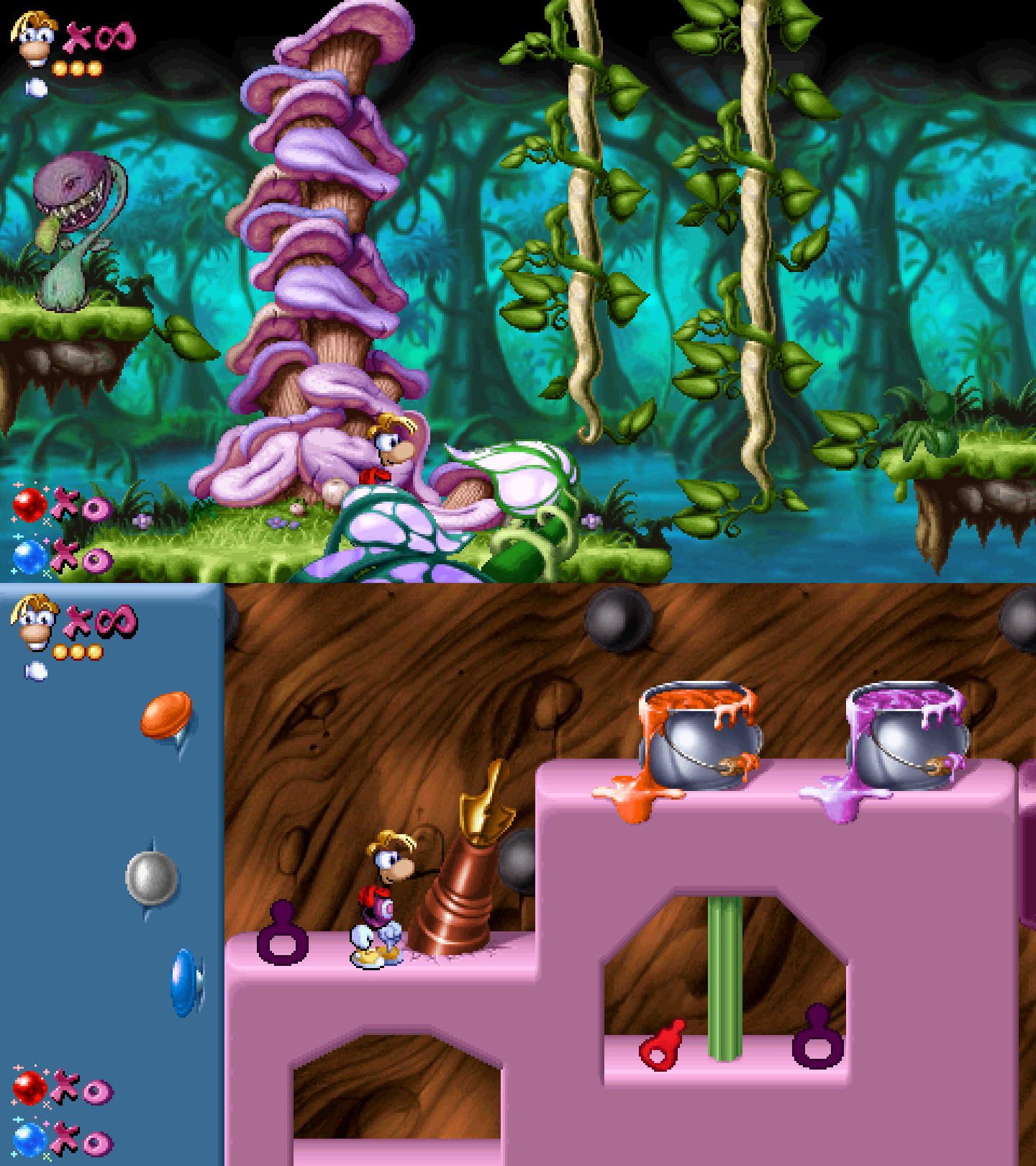
Rayman Redesigner Expansion Packs Ray1 Sprites or Tileset Added Graphics:
https://mega.nz/file/9lcUXB7I#IWil6DneV ... 28XF1zYug4
https://mega.nz/file/9lcUXB7I#IWil6DneV ... 28XF1zYug4
Last edited by raymandesigner on Thu Apr 16, 2026 11:33 pm, edited 16 times in total.
-
Hunchman801
- Posts: 87838
- Joined: Thu Aug 07, 2003 6:50 pm
- Location: Paris, France
- Contact:
- Tings: 641067
Re: Rayman ReDesigner
Nice, I like that beta carnivorous plant.