You are using an out of date browser. It may not display this or other websites correctly.
You should upgrade or use an alternative browser.
You should upgrade or use an alternative browser.
Ray1Editor - Rayman 1 Level Editor
- Thread starter RayCarrot
- Start date

- Messages
- 172
- Tings
- 990
Hmm this is odd, I tried replacing some tiles in RAY12.LEV where I replaced existing transparent textures with new transparent textures and they show up fine in the Ray1Editor but not in game.
I upated the alpha mask too whereby 0x0 is transparent and 0xFF is opaque.
I did notice though that there is a field called TransaprencyMode which has a uint value, I gather it has something to do with the issue, but I don't quite understand how that value works, I know that the initial empty tile is 2863311530 (Hex 0xAAAAAAAA) and that opaque ones show as 1431655765 (Hex 0x55555555), but the transparent ones seem to vary alot. Any ideas how that works?
PS, got the 360° swinging plum working too as per your instructions.
I upated the alpha mask too whereby 0x0 is transparent and 0xFF is opaque.
I did notice though that there is a field called TransaprencyMode which has a uint value, I gather it has something to do with the issue, but I don't quite understand how that value works, I know that the initial empty tile is 2863311530 (Hex 0xAAAAAAAA) and that opaque ones show as 1431655765 (Hex 0x55555555), but the transparent ones seem to vary alot. Any ideas how that works?
PS, got the 360° swinging plum working too as per your instructions.
Attachments


- Messages
- 2,476
- Tings
- 40,322
Hmm this is odd, I tried replacing some tiles in RAY12.LEV where I replaced existing transparent textures with new transparent textures and they show up fine in the Ray1Editor but not in game.
I upated the alpha mask too whereby 0x0 is transparent and 0xFF is opaque.
I did notice though that there is a field called TransaprencyMode which has a uint value, I gather it has something to do with the issue, but I don't quite understand how that value works, I know that the initial empty tile is 2863311530 (Hex 0xAAAAAAAA) and that opaque ones show as 1431655765 (Hex 0x55555555), but the transparent ones seem to vary alot. Any ideas how that works?
It's indeed the TransaprencyMode you need to change. I should probably update the serialization code to a bit clearer here. The uint consists of 32 bits where each pair of 2 bits is used as two flags for each row of pixels in the tile. The flags determines if the row is transparent or not. For example in Jungle 1 the third tile has this alpha mask:
Code:
FF FF FF FF FF FF FF FF FF FF FF FF FF FF 00 00
FF FF FF FF FF FF FF FF FF FF FF FF FF FF 00 00
FF FF FF FF FF FF FF FF FF FF FF FF FF FF FF FF
FF FF FF FF FF FF FF FF FF FF FF FF FF FF FF FF
FF FF FF FF FF FF FF FF FF FF FF FF FF FF FF FF
FF FF FF FF FF FF FF FF FF FF FF FF FF FF FF FF
FF FF FF 00 00 00 FF FF FF 00 00 FF FF FF FF FF
FF FF FF 00 00 00 00 FF FF 00 00 00 FF FF FF FF
FF FF 00 00 00 00 00 00 FF 00 FF FF FF FF FF FF
FF FF FF 00 00 00 00 00 00 FF FF FF FF FF FF FF
FF FF FF FF 00 00 00 00 FF FF FF FF FF FF FF FF
FF FF FF FF FF 00 00 FF FF FF FF FF FF FF FF FF
FF FF FF FF FF 00 FF FF FF FF FF FF FF FF FF FF
FF FF FF FF FF FF FF FF FF FF FF FF FF FF FF FF
FF FF FF FF FF FF FF FF FF FF FF FF FF FF FF FF
FF FF FF FF FF FF FF FF FF FF FF FF FF FF FF FF
Code:
11
11
01
01
01
01
11
11
11
11
11
11
11
01
01
01It's a rather confusing way the game handles transparency in. I assume it's for optimization, but I'm not very familiar with how DOS game graphics normally work. I hope this helps though, let me know if you have any more questions!
Nice!PS, got the 360° swinging plum working too as per your instructions.

- Messages
- 172
- Tings
- 990
I gave it a try on a single tile see attached tile image, image data and alpha mask...
...but it seems to be crashing the game when I change the TransaprencyMode, which in a hex editor shows up as 0xFFBFEAAA and when converted to binary shows up as below...
Not sure why it dosen't like the new uint32 value.
Code:
ImageData:
FF FF FF FF FF FF FF C5 B2 80 80 FF FF FF FF FF
FF FF FF FF FF FF FF FF FF C8 C8 C7 80 80 80 80
FF FF FF FF FF FF FF FF FF FF FF C8 C8 C8 C7 80
FF FF FF FF FF FF FF FF FF FF FF FF FF FF C8 C8
FF FF FF FF FF FF FF FF FF FF FF FF FF FF FF FF
FF FF FF FF FF FF FF FF FF FF FF FF FF FF C5 C5
FF FF FF FF FF FF FF FF FF FF C5 B2 80 80 80 80
FF FF FF FF FF FF FF C5 B2 80 80 80 C7 C7 C7 C7
FF FF FF FF FF C5 B2 C7 C7 C7 C8 C8 C8 C8 C8 C8
FF FF FF FF FF FF FF FF FF FF FF FF FF FF FF FF
FF FF FF FF FF FF FF FF FF FF FF FF FF FF FF FF
FF FF FF FF FF FF FF FF FF FF FF FF FF FF FF FF
FF FF FF FF FF FF FF FF FF FF FF FF FF FF FF FF
FF FF FF FF FF FF FF FF FF FF FF FF FF FF FF FF
FF FF FF FF FF FF FF FF FF FF FF FF FF FF FF FF
FF FF FF FF FF FF FF FF FF FF FF FF FF FF FF FF

Alpha:
00 00 00 00 00 00 00 FF FF FF FF 00 00 00 00 00
00 00 00 00 00 00 00 00 00 FF FF FF FF FF FF FF
00 00 00 00 00 00 00 00 00 00 00 FF FF FF FF FF
00 00 00 00 00 00 00 00 00 00 00 00 00 00 FF FF
00 00 00 00 00 00 00 00 00 00 00 00 00 00 00 00
00 00 00 00 00 00 00 00 00 00 00 00 00 00 FF FF
00 00 00 00 00 00 00 00 00 00 FF FF FF FF FF FF
00 00 00 00 00 00 00 FF FF FF FF FF FF FF FF FF
00 00 00 00 00 FF FF FF FF FF FF FF FF FF FF FF
00 00 00 00 00 00 00 00 00 00 00 00 00 00 00 00
00 00 00 00 00 00 00 00 00 00 00 00 00 00 00 00
00 00 00 00 00 00 00 00 00 00 00 00 00 00 00 00
00 00 00 00 00 00 00 00 00 00 00 00 00 00 00 00
00 00 00 00 00 00 00 00 00 00 00 00 00 00 00 00
00 00 00 00 00 00 00 00 00 00 00 00 00 00 00 00
00 00 00 00 00 00 00 00 00 00 00 00 00 00 00 00
...but it seems to be crashing the game when I change the TransaprencyMode, which in a hex editor shows up as 0xFFBFEAAA and when converted to binary shows up as below...
Code:
11 [Mixed]
11 [Mixed]
11 [Mixed]
11 [Mixed]
10 [Transparent]
11 [Mixed]
11 [Mixed]
11 [Mixed]
11 [Mixed]
10 [Transparent]
10 [Transparent]
10 [Transparent]
10 [Transparent]
10 [Transparent]
10 [Transparent]
10 [Transparent]
Not sure why it dosen't like the new uint32 value.
Attachments


Hunchman801
Administrator
- Messages
- 87,880
- Tings
- 641,277
I think Carrot wrote "if read from left to right" but meant "if read from right to left", based on his example?
- Messages
- 2,476
- Tings
- 40,322
Using your bytes crashed for me at first too. I tried looking into it to see if I missed something with the transparency until I realized there's a checksum after the texture data in the file! If you load the modified level in Ray1Editor and save it will automatically correct any incorrect checksums, and after doing that it loaded in-game for meNot sure why it dosen't like the new uint32 value.
Edit: if it still crashes for you make sure you also swap the bytes as it's in little endian.
No, that should be correct. For clarity these are the values:I think Carrot wrote "if read from left to right" but meant "if read from right to left", based on his example?
Code:
01 = Opaque
10 = Transparent
11 = Mixed- Messages
- 172
- Tings
- 990
If you load the modified level in Ray1Editor and save it will automatically correct any incorrect checksums, and after doing that it loaded in-game for me
Yeah saving it in the editor does the trick, simple and effective, cheers.
Hunchman801
Administrator
- Messages
- 87,880
- Tings
- 641,277
Indeed it is, I looked at your alpha mask too quickly and inverted transparency and opacity, so of course it didn't make sense. My bad.No, that should be correct. For clarity these are the values:
Code:01 = Opaque 10 = Transparent 11 = Mixed

- Messages
- 172
- Tings
- 990
So the replacing textures part was easy enough, however I tried adding new textures to a map, which means checking that all the pointers and checksums correct.
I checked the Serializer log and it all seemed to serialize it ok; but I'm getting some errors in the actual editor now like so...
I checked the GitHub page https://github.com/RayCarrot/RayCar...1Editor/Games/Rayman1/PC/R1_PC_GameManager.cs to see what line was failing and my guess (because I can't run that code here) is that it's the linq statement found on lines 348-350...
I've attached the LEV file that I tried it with, id anyone has any suggestions where I went wrong?
I checked the Serializer log and it all seemed to serialize it ok; but I'm getting some errors in the actual editor now like so...
Code:
20:26:55.0019|ERROR|RayCarrot.Ray1Editor.EditorScene|Loading editor
System.InvalidOperationException: Sequence contains no matching element
   at System.Linq.ThrowHelper.ThrowNoMatchException()
   at RayCarrot.Ray1Editor.R1_PC_GameManager.LoadTileSet(R1_PC_GameData data, PC_LevFile lev, TextureManager textureManager)
   at RayCarrot.Ray1Editor.R1_PC_GameManager.LoadMap(R1_PC_GameData data, PC_LevFile lev, TextureManager textureManager)
   at RayCarrot.Ray1Editor.R1_PC_GameManager.Load(Context context, Object settings, TextureManager textureManager)
   at RayCarrot.Ray1Editor.EditorScene.LoadContent()
I checked the GitHub page https://github.com/RayCarrot/RayCar...1Editor/Games/Rayman1/PC/R1_PC_GameManager.cs to see what line was failing and my guess (because I can't run that code here) is that it's the linq statement found on lines 348-350...
Code:
                var tex = lev.TileTextureData.NonTransparentTextures.
                    Concat(lev.TileTextureData.TransparentTextures).
                    First(x => x.Offset == lev.TileTextureData.TexturesOffsetTable[i]);
I've attached the LEV file that I tried it with, id anyone has any suggestions where I went wrong?
Attachments
- Messages
- 2,476
- Tings
- 40,322
I'm not sure exactly where you modified the file, but it doesn't seem you modified the TexturesOffsetTable array which seems to be the cause of the crash. Since the transparent and opaque tile textures have different lengths the game has an offset table to more quickly be able to get to each tile texture struct. These are relative to the very first tile texture, 0x4C717 in the file you sent. So if the offset is 0x120 then the file offset is 0x4C837.
To get this to work you need to make sure the offset table points to each of the available textures. If a tile texture does not have a corresponding offset in the table then this exception will occur in the editor and the game will read the wrong texture data.
Updating all of these might be a bit time consuming. If you add a new opaque tile texture then that will shift all the transparent ones by its size (since the opaque ones always appear first), so all of their offsets need to be updated. If you add a transparent one it's simpler since then all you'd need is to add a new offset to the table and have it point to the new texture. The table always has 1200 entries, with invalid ones being 0xFFFFFFFF, so if you add a new one all you'd need is to replace one of the invalid ones.
Edit: Also I should note you don't need to manually edit any checksums or the two pointers at the start of the file. Those are all automatically updated by the editor when saving. I didn't get around to implement proper support for texture replacing and such though which is why this part is more complicated.
To get this to work you need to make sure the offset table points to each of the available textures. If a tile texture does not have a corresponding offset in the table then this exception will occur in the editor and the game will read the wrong texture data.
Updating all of these might be a bit time consuming. If you add a new opaque tile texture then that will shift all the transparent ones by its size (since the opaque ones always appear first), so all of their offsets need to be updated. If you add a transparent one it's simpler since then all you'd need is to add a new offset to the table and have it point to the new texture. The table always has 1200 entries, with invalid ones being 0xFFFFFFFF, so if you add a new one all you'd need is to replace one of the invalid ones.
Edit: Also I should note you don't need to manually edit any checksums or the two pointers at the start of the file. Those are all automatically updated by the editor when saving. I didn't get around to implement proper support for texture replacing and such though which is why this part is more complicated.
- Messages
- 172
- Tings
- 990
I'm not sure exactly where you modified the file, but it doesn't seem you modified the TexturesOffsetTable array which seems to be the cause of the crash. Since the transparent and opaque tile textures have different lengths the game has an offset table to more quickly be able to get to each tile texture struct. These are relative to the very first tile texture, 0x4C717 in the file you sent. So if the offset is 0x120 then the file offset is 0x4C837.
To get this to work you need to make sure the offset table points to each of the available textures. If a tile texture does not have a corresponding offset in the table then this exception will occur in the editor and the game will read the wrong texture data.
Updating all of these might be a bit time consuming. If you add a new opaque tile texture then that will shift all the transparent ones by its size (since the opaque ones always appear first), so all of their offsets need to be updated. If you add a transparent one it's simpler since then all you'd need is to add a new offset to the table and have it point to the new texture. The table always has 1200 entries, with invalid ones being 0xFFFFFFFF, so if you add a new one all you'd need is to replace one of the invalid ones.
Edit: Also I should note you don't need to manually edit any checksums or the two pointers at the start of the file. Those are all automatically updated by the editor when saving. I didn't get around to implement proper support for texture replacing and such though which is why this part is more complicated.
I realise what happened, there was a bug in my code that meant the offset table was a bit screwed up. So I've managed to get the tiles into the map (both transparent and opaque) and they work fine with the editor like the screenshots below (note the Rayman Education tiles in Rayman 1).
Essentially I'm writing a tool for me to import and export the tiles easily rather than trying to manually change the files.
However, when I go to play this I get an error (also see below), I thought it may have been to do with the checksum again (where I save/reopen it in the editor and it fixes it) but not this time.
Again I attached the level file, but this time it's not as obvious where it falls over.
Attachments


- Messages
- 2,476
- Tings
- 40,322
Ah that's nice. I would like to have the editor allow this as well, but I haven't gotten around to adding such features yet.Essentially I'm writing a tool for me to import and export the tiles easily rather than trying to manually change the files.
I had a look at the level file and it seems the issue is here:However, when I go to play this I get an error (also see below), I thought it may have been to do with the checksum again (where I save/reopen it in the editor and it fixes it) but not this time.
Again I attached the level file, but this time it's not as obvious where it falls over.
Code:
(R) PCMAP/CAKE/RAY1.LEV|0x0004C713: (UInt32) TexturesDataTableCount: 216321- Messages
- 172
- Tings
- 990
So I noticed in the editor that the Rayman Edu and Designer games have the effects built into the leves (such as storm, Betailla custscene, heat waves and firefly lighting).
Rayman 1 from what I know stores this data within the EXE itself.
I just saw this video that RayCarrot you posted a few years back on how the Bzzit fight works the DOS version with the firefly lighting, do you reckon this is something that can be changed in the binary data very easilly if I went into the EXE and changed a value. If so do you know what hex address this is located at?
Rayman 1 from what I know stores this data within the EXE itself.
I just saw this video that RayCarrot you posted a few years back on how the Bzzit fight works the DOS version with the firefly lighting, do you reckon this is something that can be changed in the binary data very easilly if I went into the EXE and changed a value. If so do you know what hex address this is located at?

- Messages
- 342
- Tings
- 2,860
I saw this subject in the forum's list a bit randomly, how did I miss such great creation until now? 
I'm definitely going to download your editor and get it a try!
It's funny because I was currently working on a new Designer level at the same time
I'm definitely going to download your editor and get it a try!
It's funny because I was currently working on a new Designer level at the same time
- Messages
- 2,476
- Tings
- 40,322
So I noticed in the editor that the Rayman Edu and Designer games have the effects built into the leves (such as storm, Betailla custscene, heat waves and firefly lighting).
Rayman 1 from what I know stores this data within the EXE itself.
I just saw this video that RayCarrot you posted a few years back on how the Bzzit fight works the DOS version with the firefly lighting, do you reckon this is something that can be changed in the binary data very easilly if I went into the EXE and changed a value. If so do you know what hex address this is located at?
Sadly it's hard-coded in the exe yeah. If I remember correctly the game checks the world and level index when loading the level and enables it based on that. So probably not a very easy change, especially since pretty much all the PC releases have a different exe where it'd be located at a different offset.
Edit: I should also clarify that I didn't modify any files for that video. I just replaced the level files so that level appeared as Cave 4, thus tricking the game into applying the effect.
- Messages
- 342
- Tings
- 2,860
Hi!
I tested the editor and I have a little question: is it possible to edit our own levels made within Rayman Designer?
I tried, but it seems the editor doesn't detect users maps, it only shows default levels:
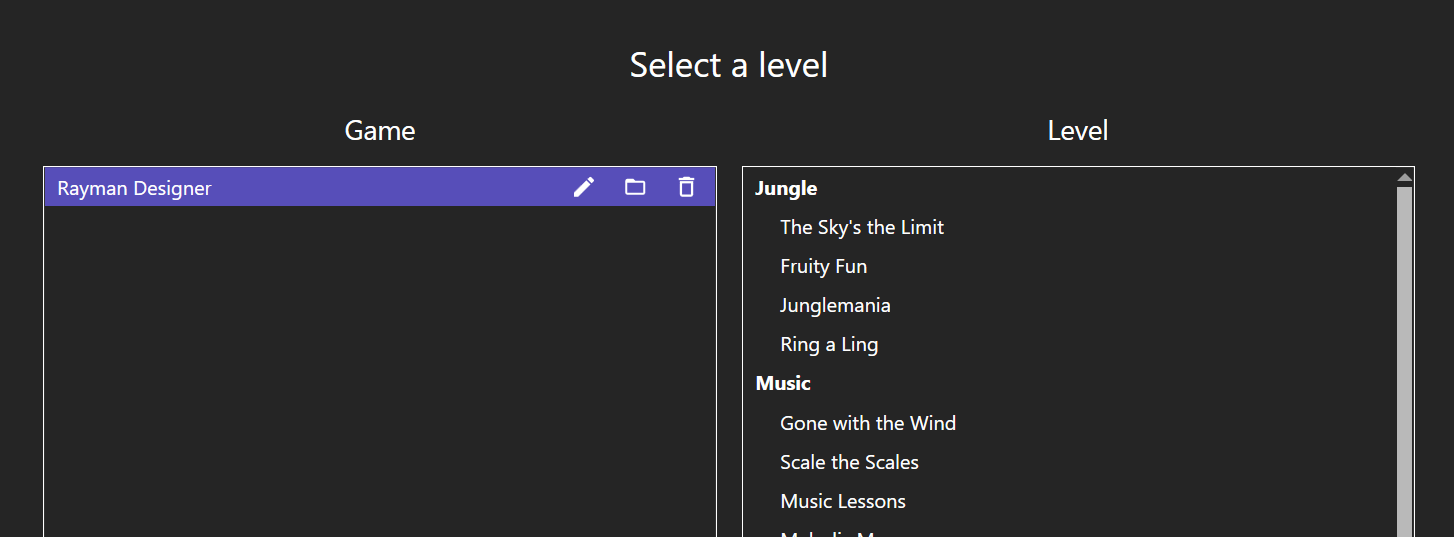
I already tried to replace the default maps by my own ones, but it didn't work.
Also, I already checked that I was using the right path.
I tested the editor and I have a little question: is it possible to edit our own levels made within Rayman Designer?
I tried, but it seems the editor doesn't detect users maps, it only shows default levels:
I already tried to replace the default maps by my own ones, but it didn't work.
Also, I already checked that I was using the right path.
- Messages
- 2,476
- Tings
- 40,322
Not at the moment, no. I might look into adding support for that some time though. I did add support for loading them in Ray1Map so it shouldn't be too hard implementing it here as well and adding saving support. The biggest issue is just that objects are handled rather differently, so I'd need to change some things around that.
- Messages
- 2,476
- Tings
- 40,322
I mostly didn't implement it since I'm not sure how to best present it in the UI. The editor does store the commands and write them back when saving, so modifying the data itself would be rather simple.
From my understanding the devs basically wrote the commands like in the Rayman Designer MLT files. Then when compiling the levels into the binary format a label offset table gets created and the reserved commands replaced. This process would be rather confusing to implement in the UI. The way I'm presenting the commands now is in a more user-friendly way with the offsets being displayed as line numbers etc. You can see the code for displaying the commands here, which has to take a lot of different cases into account.
Another reason is that many of the commands can't really be modified that much. I think originally the developers idea was to have as much of the object behavior as possible be scripted using the commands (the demos have room for a lot more command instruction types), but that they eventually fell back to hard-coding most of it. Because of this the game's code actually modifies and calls some commands during runtime. For example whenever there is a label 99 then that is always called from the game code.
Also to add to the confusion some of the command instruction types work entirely differently based on the object type (and some object types don't run the commands at all).
Now that's not to say I don't want to allow them to be edited. I'm just not sure the best way of doing it since it's all rather messy with how the game handles them. I did actually in Ray1Map write some code to convert custom Rayman Designer Mapper levels to binary levels which converts the MLT commands to binary ones with the proper label offsets, so some of that could be used I suppose.
From my understanding the devs basically wrote the commands like in the Rayman Designer MLT files. Then when compiling the levels into the binary format a label offset table gets created and the reserved commands replaced. This process would be rather confusing to implement in the UI. The way I'm presenting the commands now is in a more user-friendly way with the offsets being displayed as line numbers etc. You can see the code for displaying the commands here, which has to take a lot of different cases into account.
Another reason is that many of the commands can't really be modified that much. I think originally the developers idea was to have as much of the object behavior as possible be scripted using the commands (the demos have room for a lot more command instruction types), but that they eventually fell back to hard-coding most of it. Because of this the game's code actually modifies and calls some commands during runtime. For example whenever there is a label 99 then that is always called from the game code.
Also to add to the confusion some of the command instruction types work entirely differently based on the object type (and some object types don't run the commands at all).
Now that's not to say I don't want to allow them to be edited. I'm just not sure the best way of doing it since it's all rather messy with how the game handles them. I did actually in Ray1Map write some code to convert custom Rayman Designer Mapper levels to binary levels which converts the MLT commands to binary ones with the proper label offsets, so some of that could be used I suppose.