File:SuperYellowLum-PauseScreen-R2TGE-PC.png: Difference between revisions
Jump to navigation
Jump to search
A screenshot of Rayman 2: The Great Escape's pause screen (PC version). It shows a Super Yellow Lum highlighting the menu selections. |
Hunchman801 (talk | contribs) No edit summary |
||
| Line 1: | Line 1: | ||
{{Image | |||
| description = The pause screen | |||
| source = [http://www.raymanpc.com/forum/memberlist.php?mode=viewprofile&u=768 Haruka] | |||
| game = ''[[Rayman 2: The Great Escape]]'' | |||
| platform = PC | |||
}} | |||
{{ImageOK}} | |||
A screenshot of Rayman 2: The Great Escape's pause screen (PC version). It shows a Super Yellow Lum highlighting the menu selections. | A screenshot of Rayman 2: The Great Escape's pause screen (PC version). It shows a Super Yellow Lum highlighting the menu selections. | ||
[[Category:Images from Rayman 2]] | |||


Latest revision as of 16:52, 7 March 2011
| SuperYellowLum-PauseScreen-R2TGE-PC.png | ||
|---|---|---|
| Description | The pause screen | |
| Source | Haruka | |
| Game | Rayman 2: The Great Escape | |
| Platform | PC | |

|
This image meets the quality requirements imposed by the RayWiki standards. No further action is required. |
A screenshot of Rayman 2: The Great Escape's pause screen (PC version). It shows a Super Yellow Lum highlighting the menu selections.
File history
Click on a date/time to view the file as it appeared at that time.
| Date/Time | Thumbnail | Dimensions | User | Comment | |
|---|---|---|---|---|---|
| current | 19:22, 3 January 2011 | 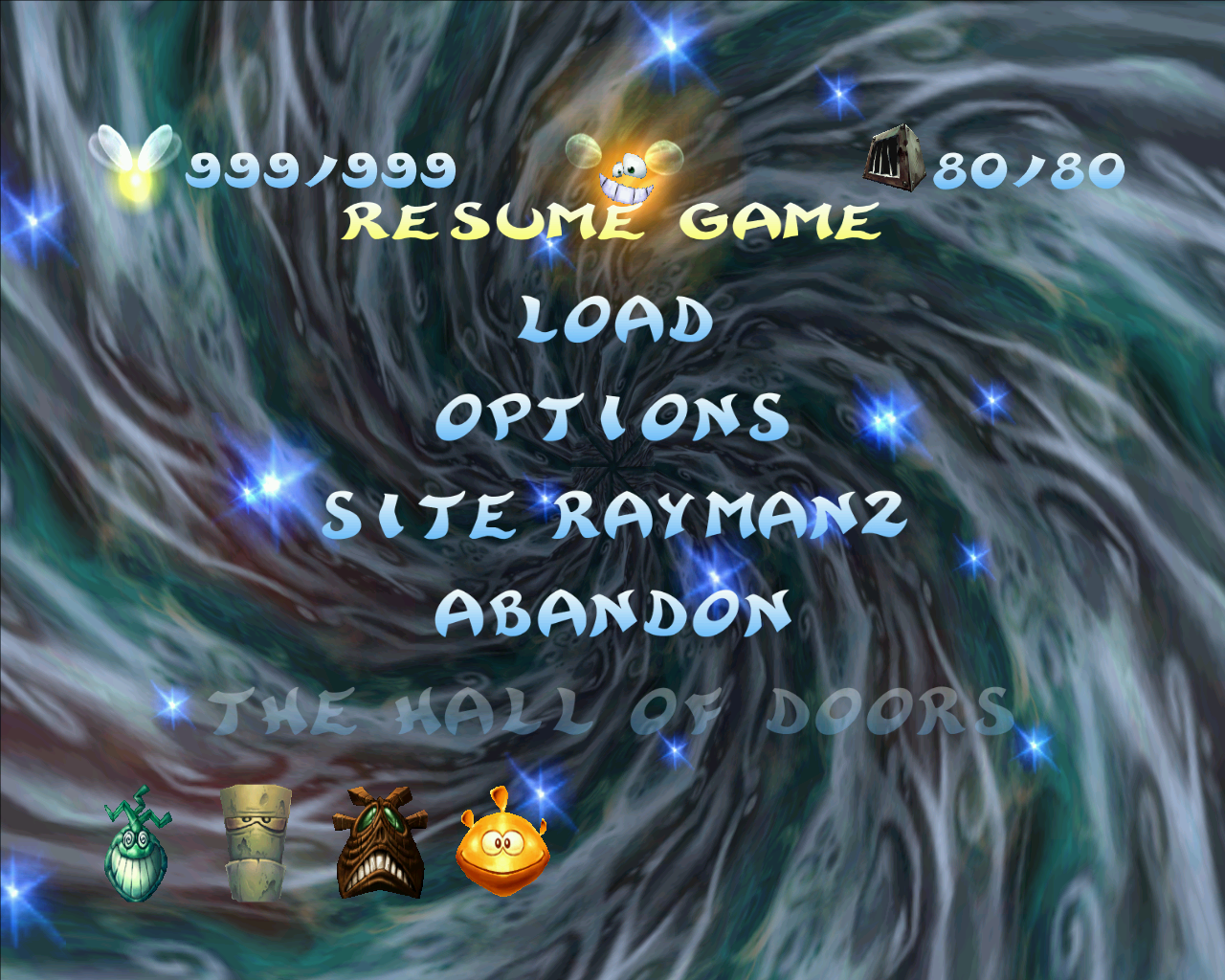 | 1,280 × 1,024 (885 KB) | Haruka (talk | contribs) | A screenshot of Rayman 2: The Great Escape's pause screen (PC version). It shows a Super Yellow Lum highlighting the menu selections. |
You cannot overwrite this file.
File usage
The following page uses this file:
Global file usage
The following other wikis use this file:
- Usage on raymanpc.com
- Usage on raymanpc.com
- Usage on raymanpc.com
