Rayman Adventures hacking
The mobile game Rayman Adventures was shut down in June 2023, but players have discovered ways to hack the game.
Save files
A save file is located at Android/data/com.ubisoft.raymanadventures/files/DefaultSavegameName_0.sav on Android. On iOS, it is harder to access save files. The save file stores the information listed below:
- Adventure Number/ID
- Current equipped skin
- Incrediballs
- Sacred Tree height
- Adventure levels
- Beatbox tracks
- Achievements
This list may be incomplete.
Archived saves
Adventure 12
-
 The title screen in Adventure 12.
 -
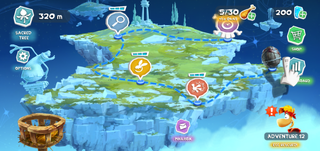 The world map in Adventure 12.


Adventure 31
| This article or section needs to be rewritten and/or expanded. |
Adventure 223
| This article or section needs to be rewritten and/or expanded. |
Adventure 509
| This article or section needs to be rewritten and/or expanded. |
Loading Error
| This article or section needs to be rewritten and/or expanded. |
Adventure Map replacement
By modifying the Adventure Map in the three bundleonboardingadvNUMBER_PLATFORM.ipk files and replacing the normal one with a map from another world, the game will load a map with three or four levels (depending on the selected map) instead of the regular two levels in Adventure 1 and three levels in Adventure 2.
Adventure Map
The player can play new levels if they modify the Adventure Map. For example, in Adventure 1, the game has three levels stored in bundleonboardingadv1_PLATFORM.ipk (one of them was the old tutorial level, which is not in Adventure 1 anymore), but the other selected map may have three or four levels. This causes the game to place random levels from Medieval Mayhem. The skull level is either a brawl or a time level.
-
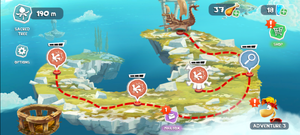 Olympus Maximus map instead of the normal one
 -
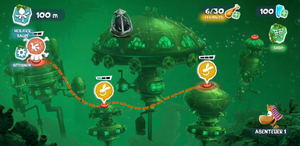 Sea of Serendipity map instead of the normal one
 -
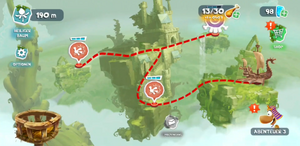 Toad Story map instead of the normal one
 -
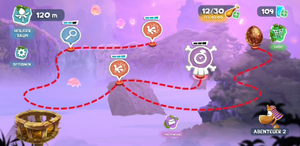 Adventure 2 with a Bronze Egg


Creature bugs
The player can also obtain new Incrediballs like Hedgeworth and Ram, finish the Green Pieces family, or not be able to obtain the Sniffer Incrediballs.
-
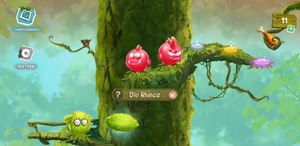 A new Incrediball that cannot be obtained normally
 -
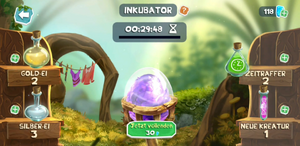 The Purple Egg from Adventure 3 in the Incubator
 -
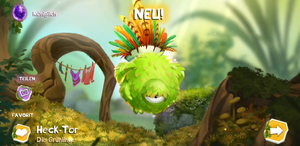 The Incrediball hatched from the Purple Egg
 -
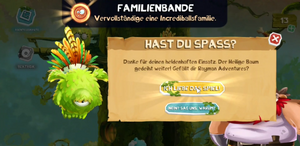 The game asking the player to rate the game in Adventure 3


Level replacement
Marathons
| This article or section needs to be rewritten and/or expanded. |
Android and iOS mods
By editing code in the classes4.dex file that can be found in the APK (rename .apk to .zip and extract it), one can disable the OBB integrity check. This checks the MD5 and size in kilobytes of the OBB to verify if the OBB has been modified. Disabling this allows the player to edit levels, textures, PBKs (only by fully replacing them), and more.