Rayman Designer: Difference between revisions
No edit summary |
No edit summary |
||
| (38 intermediate revisions by 10 users not shown) | |||
| Line 1: | Line 1: | ||
{{Game | {{Game | ||
| name = Rayman Designer | | name = Rayman Designer | ||
| image = [[File: | | image = [[File:Rayman Designer Box.jpg|250px|Rayman Designer]] | ||
| published by = Ludimedia (?) | | published by = [[Ubisoft]], Ludimedia (?) | ||
| developed by = [[Ubisoft]] | | developed by = [[Ubisoft]] | ||
| release date = September 3, 1997<ref>Ubisoft.fr (via archive.org), ''LES DATES DE SORTIES UBI SOFT'', https://web.archive.org/web/19971010193909/http://www.ubisoft.fr/jeux/sorties/releasesorties.html</ref> | |||
| genre = 2D Platformer | | genre = 2D Platformer | ||
| gameplay mode = Single player | | gameplay mode = Single player | ||
| Line 9: | Line 10: | ||
}} | }} | ||
'''''Rayman Designer''''' | '''''Rayman Designer''''', also known as '''''Rayman's World''''' in Germany and as '''''[[Rayman Gold]]''''' in the bundle with the same name, is a PC sequel to [[Rayman 1|the original ''Rayman'' game]], which features 24 new levels called Rayman's New Levels, and a program called Mapper that enables players to create their own levels, or play levels imported from others. Levels could previously be shared to the [[Ubisoft]] server from where users could also download other user created levels. This service is however no longer active and the only way to import levels is by getting the level file and importing it using the Mapper program. | ||
Together with [[Rayman 1|the original game]], ''Rayman Designer'' is included in ''[[Rayman Gold]]'', ''[[Rayman Forever]]'' and ''[[Rayman Collector]]''. The latter two compilations also added 40 new levels designed by fans | Together with [[Rayman 1|the original ''Rayman'' game]], ''Rayman Designer'' is included in ''[[Rayman Gold]]'', ''[[Rayman Forever]]'' and ''[[Rayman Collector]]''. The latter two compilations also added 40 new levels designed by fans, entitled ''[[Rayman By His Fans]]'', and ''[[Rayman Collector|Collector]]'' also featured 60 by [[Ubisoft]] themselves, entitled ''[[Rayman 60 Levels]]''. | ||
==New levels== | ==New levels== | ||
[[File:Rayman Designer Map.png| | [[File:Rayman Designer Map.png|thumb|320px|class=sprite|''Rayman Designer's'' map.]] | ||
[[File:Designer Forest.png|thumb|320px|class=sprite|The [[The Dream Forest|Jungle world]]'s level selection.]] | |||
Gameplay in the 24 official levels, as well as new ones created by fans, occurs in the same six worlds as [[Rayman 1|the original ''Rayman'' game]], but does not involve finding [[cage]]s and freeing the [[Electoon]]s inside. Instead, [[Rayman]] must collect all of the blue [[Ting]]s to make the [[exit sign]] appear, a task that also involves collecting | Gameplay in the 24 official levels, as well as new ones created by fans, occurs in the same six worlds as [[Rayman 1|the original ''Rayman'' game]], but does not involve finding [[cage]]s and freeing the [[Electoon]]s inside. Instead, [[Rayman]] must collect all of the blue [[Ting]]s to make the [[exit sign]] appear, a task that also involves collecting [[Ting]]s of various other colours to make other items appear or disappear (most often platforms or blocking sprites, respectively). The maximum amount of [[Ting]]s in a level is 100, which is always the amount in the 24 new levels. Getting 100 [[Ting]]s will no longer award [[Rayman]] with a new [[life]], making finding the [[Life|life statues]] the only way to earn more [[Life|lives]]. [[Rayman]] starts with 5 [[Life|lives]] in each world. | ||
Each level included a timer which records the time it takes to reach the [[exit sign]]. The record time is displayed on the level selection screen for the 24 new levels, and although it is not shown for any user created levels, it is still saved. If a previous record is beaten, Rayman will make a victory dance upon reaching the exit sign instead of his usual "yeah". | Each level included a timer which records the time it takes to reach the [[exit sign]]. The record time is displayed on the level selection screen for the 24 new levels, and although it is not shown for any user created levels, it is still saved. If a previous record is beaten, [[Rayman]] will make a victory dance upon reaching the [[exit sign]] instead of his usual "yeah". | ||
The 24 levels have been known to be of more difficulty than the levels in [[Rayman 1|the original ''Rayman'' game]]. It has been recommended for newcomers to the [[Rayman (series)|''Rayman'' series]], to play [[Rayman 1|the original game]], before attempting to complete the 24 new levels.<ref>KMG Associates, ''Tips for the 24 New Levels'', http://www.kmgassociates.com/rayman/l24tips.htm</ref> | |||
===[[The Dream Forest|Jungle]]=== | ===[[The Dream Forest|Jungle]]=== | ||
| Line 25: | Line 29: | ||
* [[Junglemania]] | * [[Junglemania]] | ||
* [[Ring a Ling]] | * [[Ring a Ling]] | ||
===[[Band Land|Music]]=== | ===[[Band Land|Music]]=== | ||
| Line 56: | Line 59: | ||
* [[Bonbon-a-rama]] | * [[Bonbon-a-rama]] | ||
* [[Whipped Cream Challenge]] | * [[Whipped Cream Challenge]] | ||
An additional six level names can be found in the game files, indicating that a fifth level was planned for inclusion in each world but eventually scrapped from the final game. The names are: "The Gates of the Jungle" ([[The Dream Forest|Jungle]]), "Diabolical Tunes" ([[Band Land|Music]]), "The Fire Avalanche" ([[Blue Mountains|Mountain]]), "Miniature Madness" ([[Picture City|Image]]), "Cloud of Doom" ([[The Caves of Skops|Cave]]) and "Dessert Anyone?" ([[Candy Château|Cake]]). Most of these levels were included in a [[List of Rayman demos|demo version]] for the game. | |||
== User created maps == | == User created maps == | ||
[[File:Designer Other Maps.png|thumb|right|The four Rayman sprites below show which powers can be used in the level]] | [[File:Designer Other Maps.png|thumb|right|class=sprite|The four [[Rayman]] sprites below show which powers can be used in the level.]] | ||
User created maps can be played from the "Other Maps" option on the level selection screen. A level which has been imported to the Mapper is shown as an "original map" and can not be edited or removed. Any other level can be edited by entering the level and pressing "E" to enter the editor. The maps themselves are always first created in the Mapper. | User created maps can be played from the "Other Maps" option on the level selection screen. A level which has been imported to the Mapper is shown as an "original map" and can not be edited or removed. Any other level can be edited by entering the level and pressing "E" to enter the editor. The maps themselves are always first created in the Mapper. | ||
=== Mapper === | === Mapper === | ||
The Mapper program is an executable program which is where the maps are created, exported and imported and previously also shared to the Ubisoft server. To create a level, the user has to choose the dimensions of the map by selecting an example. The sizes are as follows: | The Mapper program is an executable program which is where the maps are created, exported and imported and previously also shared to the [[Ubisoft]] server. To create a level, the user has to choose the dimensions of the map by selecting an example. The sizes are as follows: | ||
*Example A: horizontal map 600 x 40 | *Example A: horizontal map 600 x 40 | ||
*Example B: vertical map 40 x 200 | *Example B: vertical map 40 x 200 | ||
| Line 68: | Line 74: | ||
*Example D: vertical rectangle map 100 x 200 | *Example D: vertical rectangle map 100 x 200 | ||
*Example E: horizontal rectangle map 200 x 100 | *Example E: horizontal rectangle map 200 x 100 | ||
Once the dimensions have been chosen, the user may fill in basic information, such as the title, description and which powers that can be used. The difficulty setting determines the amount of [[Life|lives]] the player gets to start | Once the dimensions have been chosen, the user may fill in basic information, such as the title, description and which powers that can be used. The difficulty setting determines the amount of [[Life|lives]] the player gets to start off with. If it is set to easy the player starts with 1 [[life]], if it is medium the player starts with 3 [[Life|lives]] and if it is hard the player starts with 5. Once that is done, the user can start adding blocks (stationary level objects) by copying them from the world template map. Each block piece comes equipped with a "type" which determines its function. Water blocks for example have the water type, which makes [[Rayman]] drown upon touching them. The types can however be changed manually, although it is not recommended as it leaves the player without a visual cue of the blocks functions. | ||
{| | {| | ||
|- | |- | ||
| [[File:Mapper Worlds.png| | | [[File:Mapper Worlds.png|thumb|320px|left|The world selection.]] | ||
|| [[File:Mapper Maps.png| | || [[File:Mapper Maps.png|thumb|320px|center|The map file system.]] | ||
|} | |} | ||
=== Event editor === | === [[Event (Rayman Designer)|Event]] editor === | ||
The next step in creating a level is by going to the event editor in ''Rayman Designer''. The event editor is triggered by pressing the "E" key once in the level and exited by pressing the "A" key. The event editor lets the user place events, such as | The next step in creating a level is by going to the [[Event (Rayman Designer)|event]] editor in ''Rayman Designer''. The [[Event (Rayman Designer)|event]] editor is triggered by pressing the "E" key once in the level and exited by pressing the "A" key. The [[Event (Rayman Designer)|event]] editor lets the user place [[Event (Rayman Designer)|events]], such as [[cloud]]s, enemies and [[Ting]]s, on the map. There is an option to change the [[block]] types, though the interface works better in the Mapper program. The user may also chose the players starting position and the location of the [[exit sign]]. The [[Event (Rayman Designer)|events]] available differs between worlds. For example, [[Bad Rayman]] can only be placed in the [[Candy Château|Cake world]]. | ||
==== Keys used in the Editor | ==== Keys used in the Editor ==== | ||
*(E): Enter Events Editor | *(E): Enter [[Event (Rayman Designer)|Events]] Editor | ||
*(A): Quit Events Editor and return to the game | *(A): Quit [[Event (Rayman Designer)|Events]] Editor and return to the game | ||
*(S): Save Events | *(S): Save [[Event (Rayman Designer)|Events]] | ||
*(K): Delete an Event | *(K): Delete an [[Event (Rayman Designer)|Events]] | ||
*(.): Delete all Events (only works in some versions) | *(.): Delete all [[Event (Rayman Designer)|Events]] (only works in some versions) | ||
*(I): Display / Don't Display links | *(I): Display / Don't Display links | ||
*(M): Go Into / Leave MAP mode | *(M): Go Into / Leave MAP mode | ||
*(T): Go Into / Leave TYPE mode | *(T): Go Into / Leave TYPE mode | ||
*(N): Get a description of an Events | *(N): Get a description of an [[Event (Rayman Designer)|Events]] | ||
*(B): Block Events | *(B): Block [[Event (Rayman Designer)|Events]] | ||
==== Keys used in the game | ==== Keys used in the game ==== | ||
*(W): Exit | *(W): Exit | ||
*(C): Move Rayman on the map (while freezing him) | *(C): Move [[Rayman]] on the map (while freezing him) | ||
*(V): Bring Rayman back to life | *(V): Bring [[Rayman]] back to life | ||
*(D): Display / Don't Display detection and collision zones | *(D): Display / Don't Display detection and collision zones | ||
*(R): Display / Don't Display rasters | *(R): Display / Don't Display rasters | ||
| Line 101: | Line 107: | ||
{| | {| | ||
|- | |- | ||
| [[File:Designer Editor.png| | | [[File:Designer Editor.png|thumb|316px|class=sprite|left|class=sprite|The [[Event (Rayman Designer)|event]] editor.]] | ||
|| [[File:Designer link.png| | || [[File:Designer link.png|thumb|316px|class=sprite|center|class=sprite|A [[gendoor]] being linked to a [[cloud]].]] | ||
|} | |} | ||
==== | === Website === | ||
<gallery widths="400px" heights="300px"> | |||
Rayman Designer Website - Osd01.png | |||
Rayman Designer Website - Osd02.png | |||
Rayman Designer Website - Web01.png | |||
Rayman Designer Website - Web03.png | |||
</gallery> | |||
==See also== | ==See also== | ||
*[[Rayman Designer hacking]] | *[[Rayman Designer hacking|''Rayman Designer'' hacking]] | ||
*[[Event (Rayman Designer)|Event (''Rayman Designer'')]] | |||
*[[Technical information]] | *[[Technical information]] | ||
*[[List of Rayman records]] | |||
==Trivia== | ==Trivia== | ||
* The [[Candy Château|Cake world]] has the events that were previously exclusive to the Atari Jaguar version of [[Rayman 1|the original game]]. | * The [[Candy Château|Cake world]] has the [[Event (Rayman Designer)|events]] that were previously exclusive to the Atari Jaguar version of [[Rayman 1|the original ''Rayman'' game]]. | ||
== Gallery == | == Gallery == | ||
<gallery> | <gallery> | ||
Logo.gif | Rayman Designer German front cover.jpg|The German front cover titled as ''Rayman's World''. | ||
RayKit Designer Splash.png|The splash screen. | |||
RayKit Gold Splash.png|The splash screen used in ''[[Rayman Gold]]''. | |||
Logo.gif|The original logo for the game. | |||
Rayman Designer Logo.png|The logo that is seen in-game. | |||
Unused Kit Bacbkground.png|An unused background. | |||
</gallery> | </gallery> | ||
==External links== | ==External links== | ||
*[ | *[https://www.youtube.com/playlist?list=PLsIk8u15VvVTHAAFYBh4iAoSXkZg-JB8F ''Rayman Designer'' playthrough at YouTube] | ||
==References== | |||
<references /> | |||
[[fr:Rayman Designer]] | [[fr:Rayman Designer]] | ||
[[pl:Rayman Designer]] | [[pl:Rayman Designer]] | ||
[[es:Rayman Designer]] | |||
[[ru:Rayman Designer]] | |||
[[Category:2D platform games]] | [[Category:2D platform games]] | ||
[[Category:Rayman games]] | [[Category:Rayman games]] | ||
[[Category:Remakes | [[Category:Remakes and ports]] | ||
{{Rayman series}} | {{Rayman series}} | ||
Latest revision as of 19:34, 1 January 2026
| Rayman Designer | ||
|---|---|---|

| ||
| Published by | Ubisoft, Ludimedia (?) | |
| Developed by | Ubisoft | |
| Release date | September 3, 1997[1] | |
| Genre | 2D Platformer | |
| Gameplay mode | Single player | |
| Platforms | PC | |
Rayman Designer, also known as Rayman's World in Germany and as Rayman Gold in the bundle with the same name, is a PC sequel to the original Rayman game, which features 24 new levels called Rayman's New Levels, and a program called Mapper that enables players to create their own levels, or play levels imported from others. Levels could previously be shared to the Ubisoft server from where users could also download other user created levels. This service is however no longer active and the only way to import levels is by getting the level file and importing it using the Mapper program.
Together with the original Rayman game, Rayman Designer is included in Rayman Gold, Rayman Forever and Rayman Collector. The latter two compilations also added 40 new levels designed by fans, entitled Rayman By His Fans, and Collector also featured 60 by Ubisoft themselves, entitled Rayman 60 Levels.
New levels


Gameplay in the 24 official levels, as well as new ones created by fans, occurs in the same six worlds as the original Rayman game, but does not involve finding cages and freeing the Electoons inside. Instead, Rayman must collect all of the blue Tings to make the exit sign appear, a task that also involves collecting Tings of various other colours to make other items appear or disappear (most often platforms or blocking sprites, respectively). The maximum amount of Tings in a level is 100, which is always the amount in the 24 new levels. Getting 100 Tings will no longer award Rayman with a new life, making finding the life statues the only way to earn more lives. Rayman starts with 5 lives in each world.
Each level included a timer which records the time it takes to reach the exit sign. The record time is displayed on the level selection screen for the 24 new levels, and although it is not shown for any user created levels, it is still saved. If a previous record is beaten, Rayman will make a victory dance upon reaching the exit sign instead of his usual "yeah".
The 24 levels have been known to be of more difficulty than the levels in the original Rayman game. It has been recommended for newcomers to the Rayman series, to play the original game, before attempting to complete the 24 new levels.[2]
Jungle
Music
Mountain
Image
Cave
Cake
An additional six level names can be found in the game files, indicating that a fifth level was planned for inclusion in each world but eventually scrapped from the final game. The names are: "The Gates of the Jungle" (Jungle), "Diabolical Tunes" (Music), "The Fire Avalanche" (Mountain), "Miniature Madness" (Image), "Cloud of Doom" (Cave) and "Dessert Anyone?" (Cake). Most of these levels were included in a demo version for the game.
User created maps

User created maps can be played from the "Other Maps" option on the level selection screen. A level which has been imported to the Mapper is shown as an "original map" and can not be edited or removed. Any other level can be edited by entering the level and pressing "E" to enter the editor. The maps themselves are always first created in the Mapper.
Mapper
The Mapper program is an executable program which is where the maps are created, exported and imported and previously also shared to the Ubisoft server. To create a level, the user has to choose the dimensions of the map by selecting an example. The sizes are as follows:
- Example A: horizontal map 600 x 40
- Example B: vertical map 40 x 200
- Example C: square map 200 x 200
- Example D: vertical rectangle map 100 x 200
- Example E: horizontal rectangle map 200 x 100
Once the dimensions have been chosen, the user may fill in basic information, such as the title, description and which powers that can be used. The difficulty setting determines the amount of lives the player gets to start off with. If it is set to easy the player starts with 1 life, if it is medium the player starts with 3 lives and if it is hard the player starts with 5. Once that is done, the user can start adding blocks (stationary level objects) by copying them from the world template map. Each block piece comes equipped with a "type" which determines its function. Water blocks for example have the water type, which makes Rayman drown upon touching them. The types can however be changed manually, although it is not recommended as it leaves the player without a visual cue of the blocks functions.
 |
 |
Event editor
The next step in creating a level is by going to the event editor in Rayman Designer. The event editor is triggered by pressing the "E" key once in the level and exited by pressing the "A" key. The event editor lets the user place events, such as clouds, enemies and Tings, on the map. There is an option to change the block types, though the interface works better in the Mapper program. The user may also chose the players starting position and the location of the exit sign. The events available differs between worlds. For example, Bad Rayman can only be placed in the Cake world.
Keys used in the Editor
- (E): Enter Events Editor
- (A): Quit Events Editor and return to the game
- (S): Save Events
- (K): Delete an Events
- (.): Delete all Events (only works in some versions)
- (I): Display / Don't Display links
- (M): Go Into / Leave MAP mode
- (T): Go Into / Leave TYPE mode
- (N): Get a description of an Events
- (B): Block Events
Keys used in the game
- (W): Exit
- (C): Move Rayman on the map (while freezing him)
- (V): Bring Rayman back to life
- (D): Display / Don't Display detection and collision zones
- (R): Display / Don't Display rasters
- (L): Display / Don't Display map number
 |
 |
Website


See also
Trivia
- The Cake world has the events that were previously exclusive to the Atari Jaguar version of the original Rayman game.
Gallery
-
 The German front cover titled as Rayman's World.
 -
 The splash screen.
 -
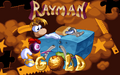 The splash screen used in Rayman Gold.
 -
 The original logo for the game.
 -
 The logo that is seen in-game.
 -
 An unused background.


External links
References
- ↑ Ubisoft.fr (via archive.org), LES DATES DE SORTIES UBI SOFT, https://web.archive.org/web/19971010193909/http://www.ubisoft.fr/jeux/sorties/releasesorties.html
- ↑ KMG Associates, Tips for the 24 New Levels, http://www.kmgassociates.com/rayman/l24tips.htm